How to Add a Smile to a Professional Headshot
Headshot sessions are stressful, and it shows: most people's professional photos look stiff. Studies of profile photos consistently find that a genuine, moderate smile reads as more competent and likable. If your best headshot has everything except the smile, an AI expression editor can fix exactly that — without booking another session.
What kind of smile works for professional photos?
The goal is approachable, not ecstatic. A closed-lip or slightly open smile with mildly engaged eyes signals confidence; a huge grin can undercut formality. Because Reshot AI gives you a continuous smile slider plus eye and eyebrow controls, you can build precisely that professional middle ground — and export multiple versions to compare.
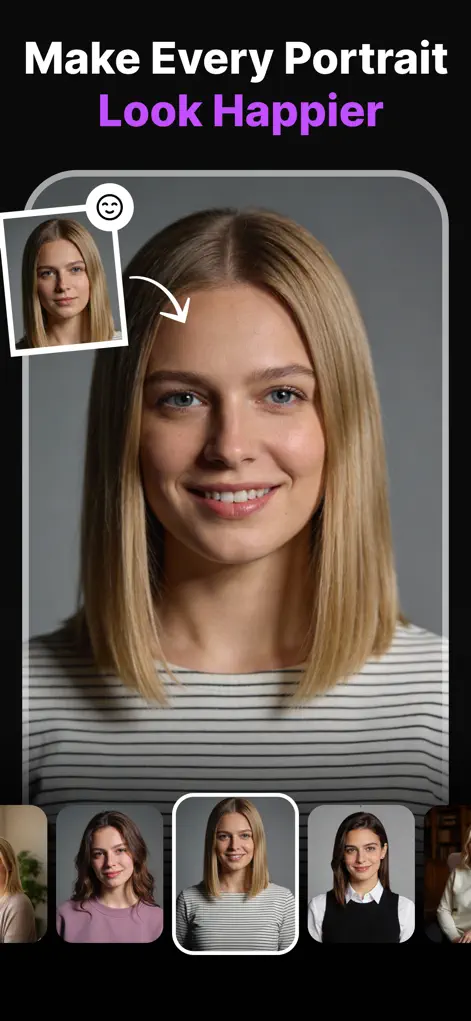
Step-by-Step: How to Add a Smile to a Professional Headshot
- Import your best headshot. Choose the frame with the best lighting and pose — ignore the expression.
- Add a moderate smile. In the Smile Enhancer, aim for a natural setting (roughly 30–50%). Slightly open or closed-lip both work; pick what matches your usual smile.
- Engage the eyes. A real smile touches the eyes. Nudge eyelid openness down a touch and raise the eyebrows slightly so the smile doesn't look pasted on.
- Square up and export. If your head tilts awkwardly, level it with the Head Pose Adjuster. Export in high resolution for LinkedIn, your CV, or your company page.
Try It on Your Own Photo
Expression Editor – Reshot AI is free to download on the App Store. Fix your first photo in under a minute.
⬇ Download Reshot AIFrequently Asked Questions
Will an AI-edited headshot look natural on LinkedIn?
Yes — moderate smile adjustments preserve your identity, skin texture, and lighting, so the result reads as a photo of you on a better day, not an edit.
Can I fix my head angle too?
Yes, the Head Pose Adjuster levels tilts and turns your face toward the camera — both common headshot problems.
Do I need a professional photo to start with?
No. A sharp, well-lit selfie against a clean background works — fix the expression and pose in Reshot AI.