How to Fix a Bad Selfie with AI
Every camera roll has them: selfies where the light and angle are perfect but the expression betrayed you — half-blink, awkward smile, eyes drifted to the screen instead of the lens. A selfie fixer app built on AI expression editing can rescue those almost-perfect shots in under a minute.
What actually makes a selfie look 'off'
It's rarely the face itself — it's micro-timing. Eyes catch mid-blink, smiles get caught rising or falling, and gaze aims at the preview screen (below the lens) instead of the camera, which reads as looking slightly away. All three are exactly what an expression editor adjusts: eyelid openness, smile position, and eye direction.
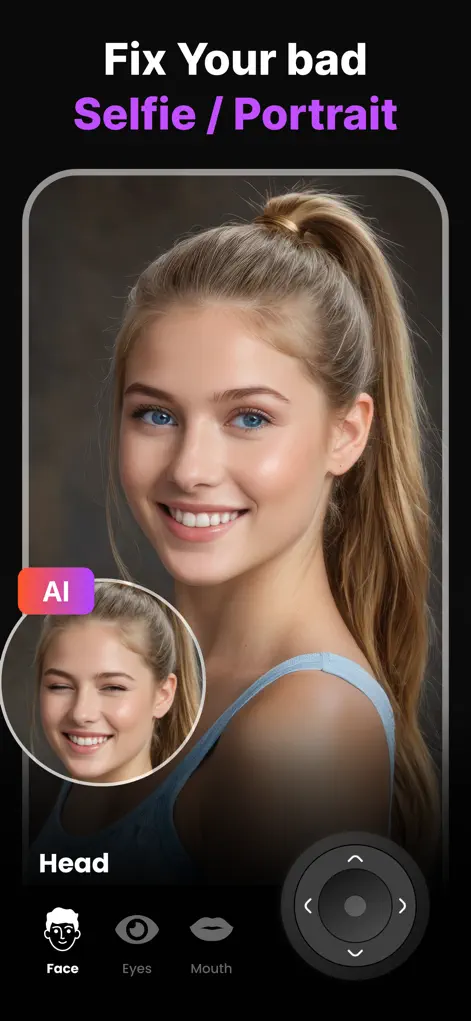
Step-by-Step: How to Fix a Bad Selfie with AI
- Pick your almost-good selfie. Choose the shot where lighting and angle work — Reshot AI will handle the expression.
- Fix the eyes first. Open half-closed eyes with the eyelid slider and redirect gaze from the screen up to the lens with the eye-direction control. This alone transforms most selfies.
- Settle the smile. Use the Smile Enhancer to complete a half-formed smile or soften an overdone one until it looks like your natural expression.
- Optional polish, then save. Level any head tilt, run AI Photo Enhancer for extra sharpness, compare before/after, and export.
Try It on Your Own Photo
Expression Editor – Reshot AI is free to download on the App Store. Fix your first photo in under a minute.
⬇ Download Reshot AIFrequently Asked Questions
Which selfie problems can AI fix?
Half-closed or squinting eyes, off-camera gaze, missing or awkward smiles, head tilt, and overall photo sharpness — the full 'almost perfect' checklist.
Will the fixed selfie still look like me?
Yes. The AI edits your real face while preserving identity, skin texture, and lighting — it looks like the take you meant to get.
How long does it take?
Each adjustment renders in about a second; a full selfie rescue typically takes under a minute.