How to Fix Expressions in Group Photos
The universal law of group photos: the more people in the frame, the smaller the chance everyone looks good at once. Someone blinks, someone's smile drops, someone stares off-frame. Instead of merging five takes, you can fix every face in a group photo with AI — individually, in one image.
Why per-face editing beats taking more photos
Photographers used to fix group shots by compositing heads across frames — slow, manual, and error-prone. Reshot AI supports group photo facial expression editing natively: tap any face and adjust that person's smile, eyes, or head position while everyone else stays untouched. One good frame is now enough.
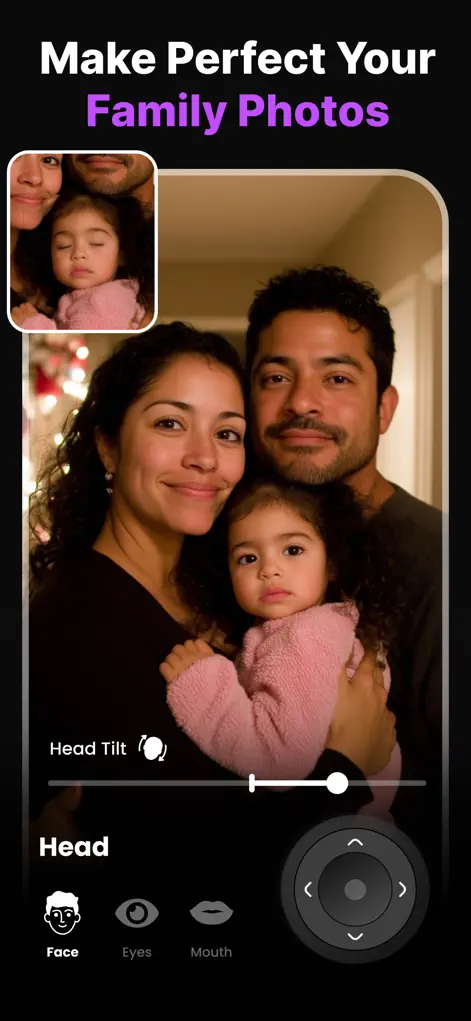
Step-by-Step: How to Fix Expressions in Group Photos
- Pick your best frame. Choose the shot with the best overall composition — lighting and poses matter more than expressions now.
- Tap the first problem face. Reshot AI detects each face separately. Start with the most obvious issue, like closed eyes or a missing smile.
- Fix that person, then move on. Open eyes with the eyelid slider, add a smile with the Smile Enhancer, redirect gaze to the camera, or level a head tilt — then tap the next face.
- Review the whole photo and export. Zoom out, compare before/after across the full group, and save in high resolution.
Try It on Your Own Photo
Expression Editor – Reshot AI is free to download on the App Store. Fix your first photo in under a minute.
⬇ Download Reshot AIFrequently Asked Questions
Can I edit each person separately in one photo?
Yes — Reshot AI detects every face and lets you adjust each one independently: smile, eyes, gaze, and head pose.
Does it work on large family photos?
It works on multi-person shots where faces are clearly visible. The closer and clearer each face, the better the result.
Can it fix one person who blinked AND another who frowned?
Yes, that's the core use case — different fixes on different faces in the same image.