Midnight rain AI photo prompts: 6 rainy night aesthetic portraits
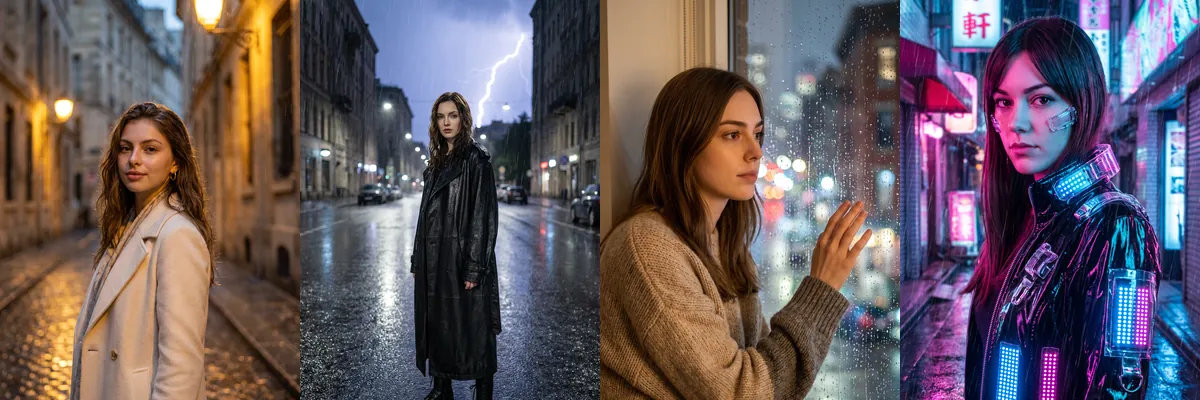
Rain at night gives a photo reflections, glow and mood without much else in the frame. This set covers six versions, from a romantic walk under street lamps to a cyberpunk alley and a stormy rooftop.
Each is a Reshot AI template you can open with a selfie in the iPhone app, or copy into another tool. Some prompts describe only the scene and outfit, so the sample image shows the look the template aims for.
What these templates change
Several prompts in this set describe a specific model, outfit and setting rather than the person in your photo, so results can follow that description more than your face. Use them as style references, or copy a prompt and change the person description to match you.
1. Cream coat on a European street
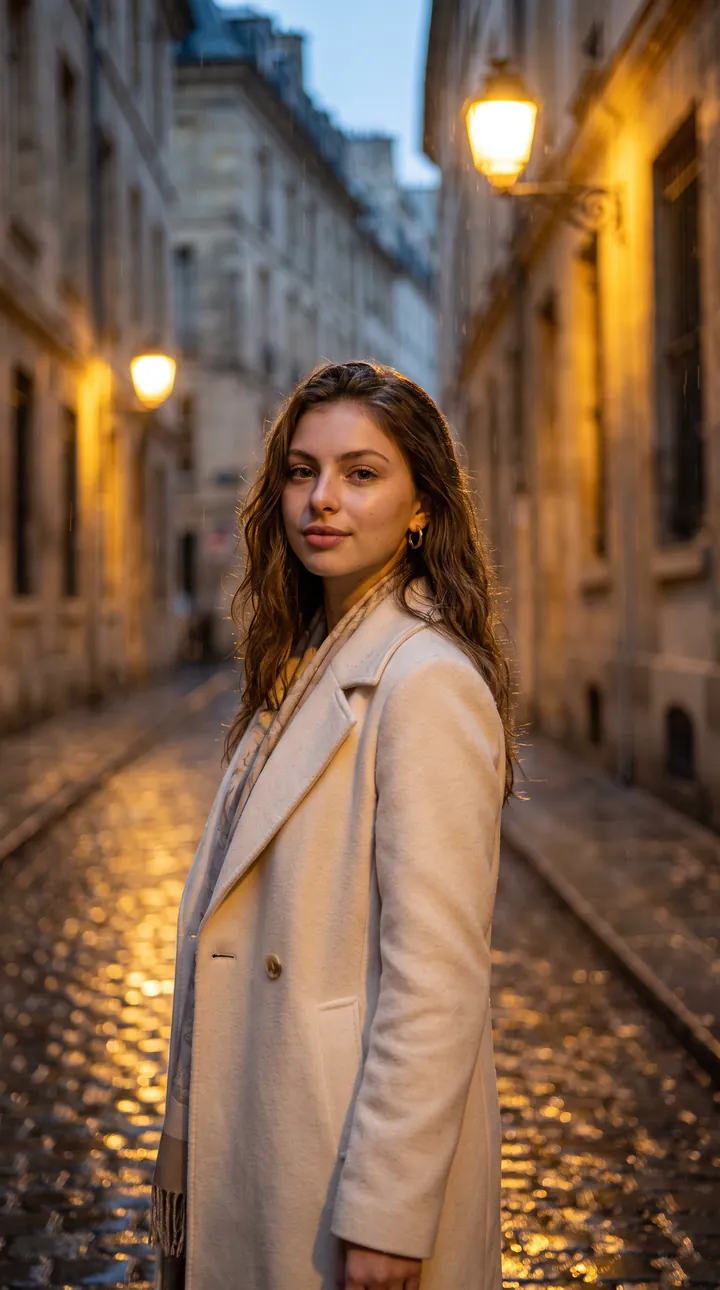
A cream coat on a rain-soaked cobblestone street at midnight, lit by warm vintage street lamps. The golden light falls across the face, giving it a soft, romantic glow while raindrops catch in the background.
Create a cinematic romantic rain portrait using the uploaded reference image. **Scene:** Walking through a rain-soaked European street under vintage street lamps at midnight. **Outfit:** Elegant black or cream coat with subtle luxury accessories. **Mood:** Soft, romantic, nostalgic. **Style:** Luxury romance editorial, warm golden rain lights, photorealistic DSLR, ultra-detailed raindrops, 9:16 vertical, 8K.
2. Leather trench in a thunderstorm
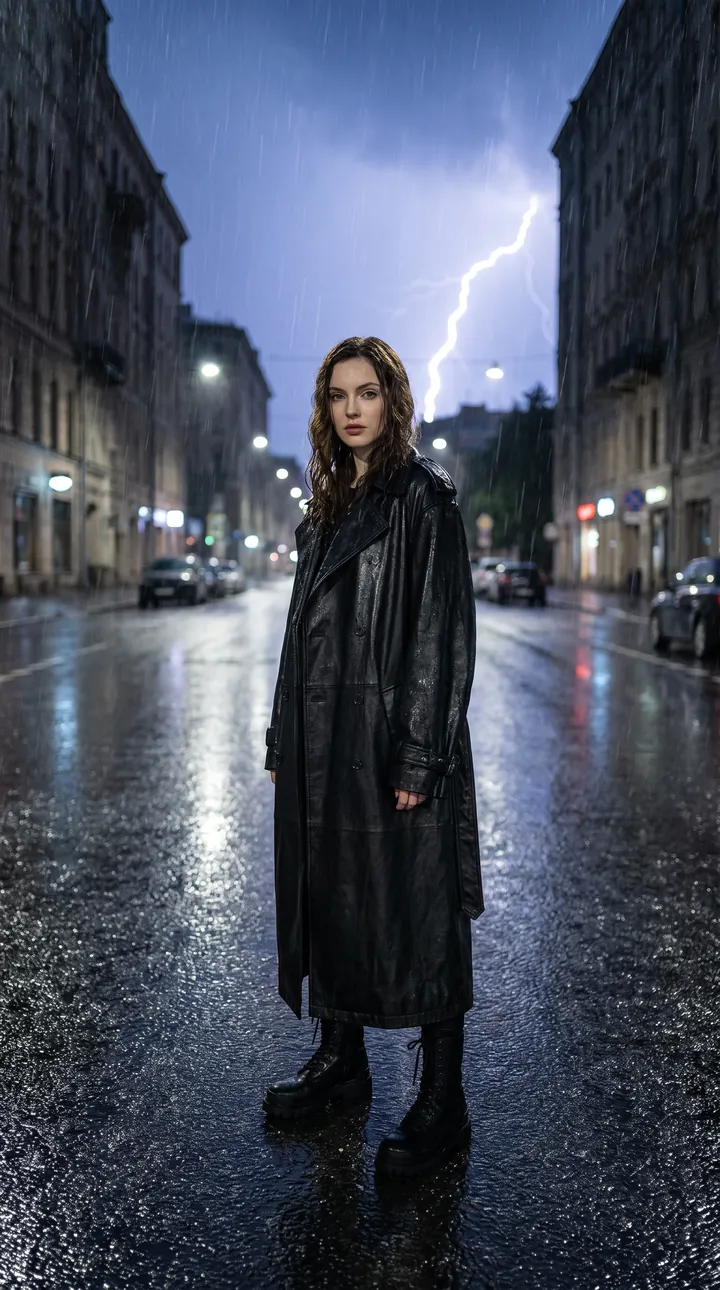
A full-length black leather trench coat and combat boots on an empty, reflective city street with lightning striking in the distance. The wide frame keeps the figure centered and the storm behind it.
Create a luxury street-fashion portrait during a dramatic thunderstorm. **Scene:** Empty city street with rain, lightning in the distance, and reflective asphalt. **Outfit:** Black leather trench coat, combat boots, monochrome luxury styling. **Style:** Balenciaga fashion campaign, cinematic storm lighting, realistic wet fabric, DSLR photography, 9:16 vertical, 8K.
3. Sweater by a rainy window
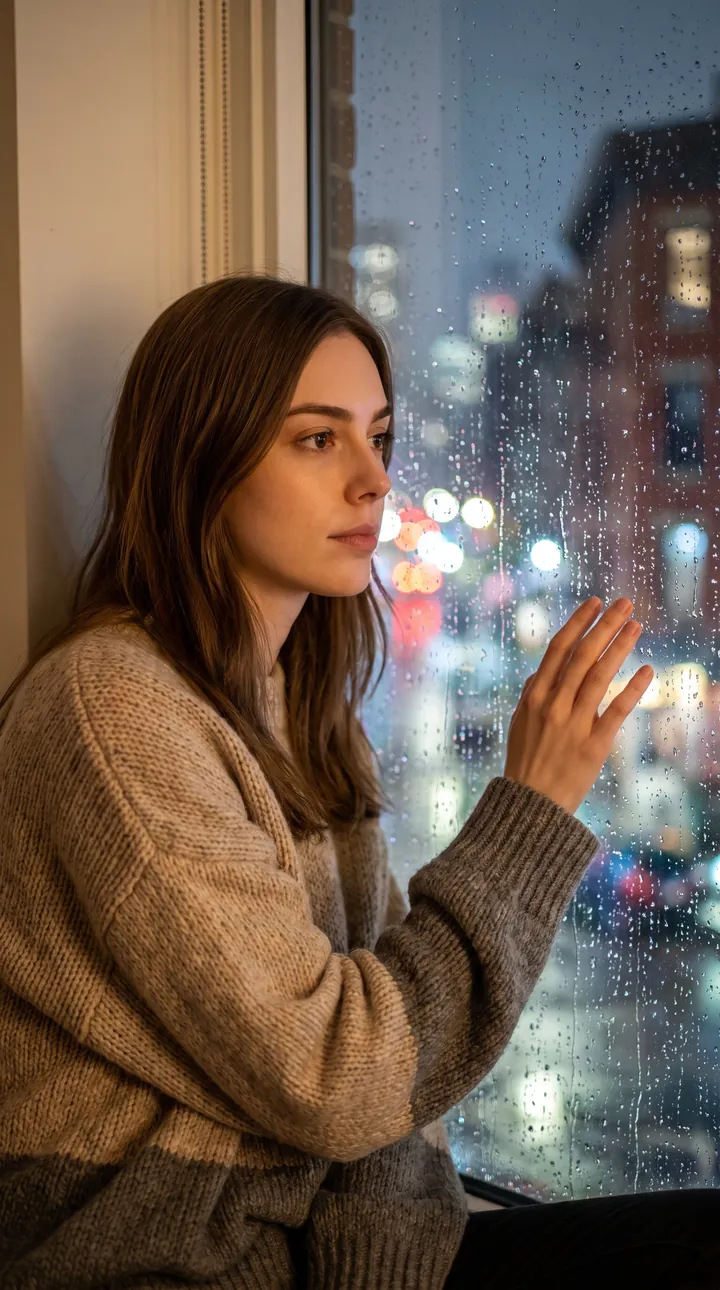
An oversized neutral sweater, one hand resting on a rain-streaked window with blurred city lights outside. Soft indoor light on the side of the face gives it a calm, reflective mood.
Create an emotional midnight portrait beside a rain-covered window. **Scene:** Indoor apartment window with raindrops on the glass and city lights outside. **Outfit:** Cozy oversized sweater in neutral tones. **Mood:** Calm, reflective, dreamy. **Style:** Pinterest rainy-night aesthetic, soft cinematic lighting, photorealistic DSLR, 9:16 vertical, 8K.
4. Vinyl jacket in a neon alley
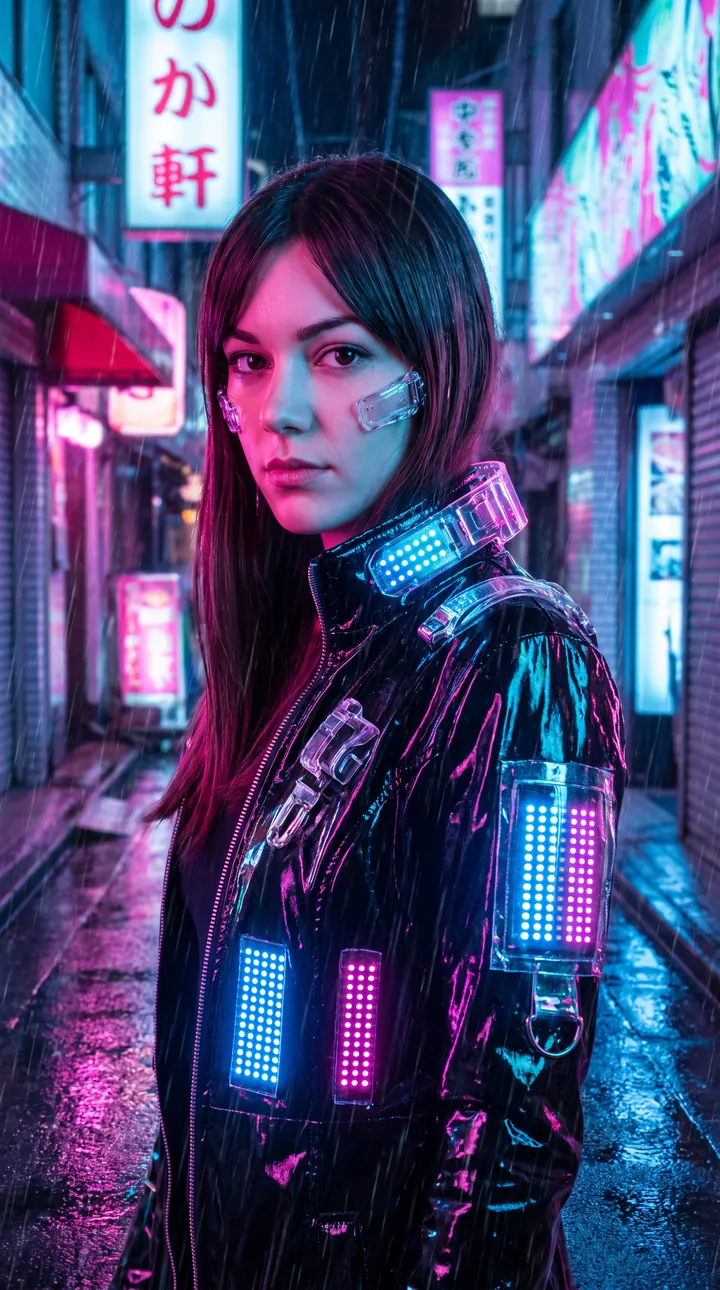
A glossy black vinyl jacket with glowing light panels in a neon alley lined with signs, with pink and blue reflections on wet pavement. Colored light spills onto the face while it stays sharp against the bokeh.
Create a futuristic neon rain fashion portrait. **Scene:** Neon-lit alley with holographic signs and wet pavement reflecting pink and blue lights. **Outfit:** Black vinyl jacket with futuristic accessories. **Style:** Cyberpunk Vogue editorial, cinematic rain reflections, photorealistic DSLR, 9:16 vertical, 8K.
5. White top in heavy rain
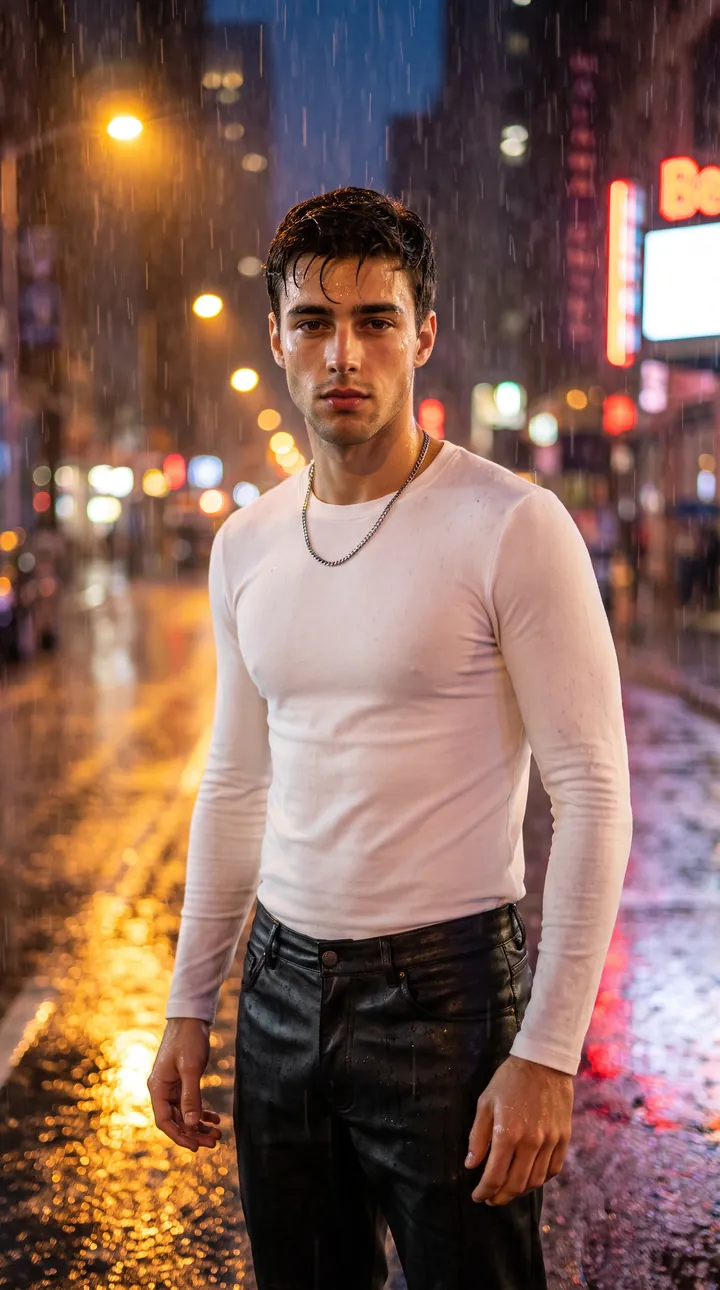
A fitted white long-sleeve top with black leather trousers and minimal silver jewelry, standing in heavy rain on a city street at midnight. Glowing streetlights and warm bokeh light the face from the front, and the prompt uses your upload as the identity reference.
Create a cinematic midnight rain fashion portrait using the uploaded reference image as the exact identity reference. **Scene:** Standing under heavy rain on a city street at midnight with glowing streetlights and wet reflections. **Outfit:** White fitted long-sleeve top, black leather trousers or skirt, minimal silver jewelry. **Mood:** Elegant, mysterious, confident. **Style:** Vogue editorial, cinematic rain photography, warm bokeh lights, ultra-realistic water droplets, DSLR, 9:16 vertical, 8K.
6. Rooftop trench over the skyline
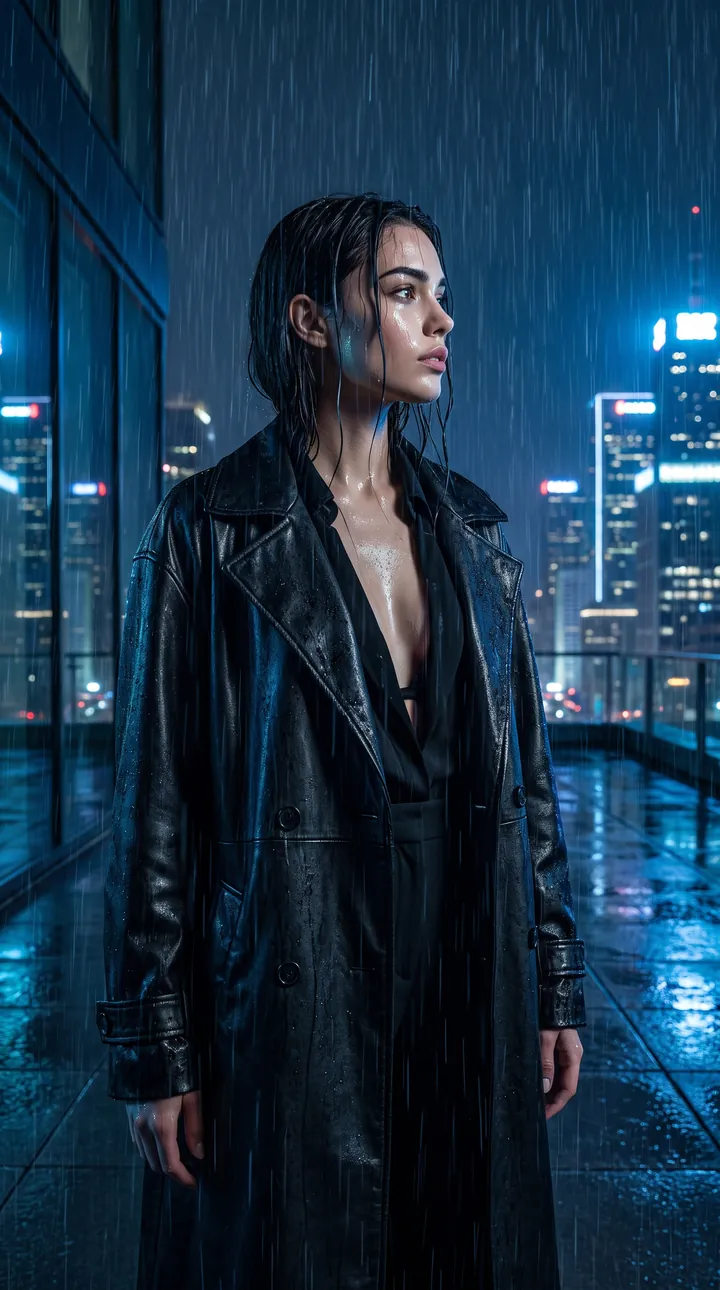
An oversized black trench coat on a rooftop in a downpour, looking out toward a blue-lit neon skyline. The turned-away pose shows the face in profile under cool blue light.
Create a dramatic fashion portrait on a rooftop during a midnight rainstorm. **Scene:** Modern rooftop overlooking a neon-lit skyline with rain pouring down. **Outfit:** Oversized black trench coat over monochrome fashion styling. **Pose:** Looking toward the city while rain falls naturally. **Style:** Luxury fashion campaign, cinematic blue lighting, photorealistic DSLR, 9:16 vertical, 8K.
How to use these templates in Reshot AI
- Open Reshot AI on iPhone and find the Midnight Rain category on the home screen.
- Pick a template. Choose a clear, front-facing selfie with good light; it is the reference for your face.
- Generate. Results arrive in the app’s History, so you can come back for them later.
- Want a different expression in the result? Open it in the Face Editor and add a smile, open closed eyes, or turn the head.
Frequently asked questions
Will the result look like me?
Not always. Some prompts in this set describe a specific model, so the result can follow that description. For a closer match, copy the prompt and replace the person description with your own.
Can I use these prompts outside Reshot AI?
Yes. The copy button gives you the full prompt; it works in any image tool that accepts a reference photo. Results will differ by model.
Is Reshot AI free?
The app is free to download. Generating templates uses credits or a Premium subscription; details are in the app.
Try Midnight Rain in Reshot AI
Download Reshot AI, pick a template, choose a selfie.
⬇ Download on the App Store