Popular AI photoshoot prompts: mirror selfies, photobooth strips and film looks
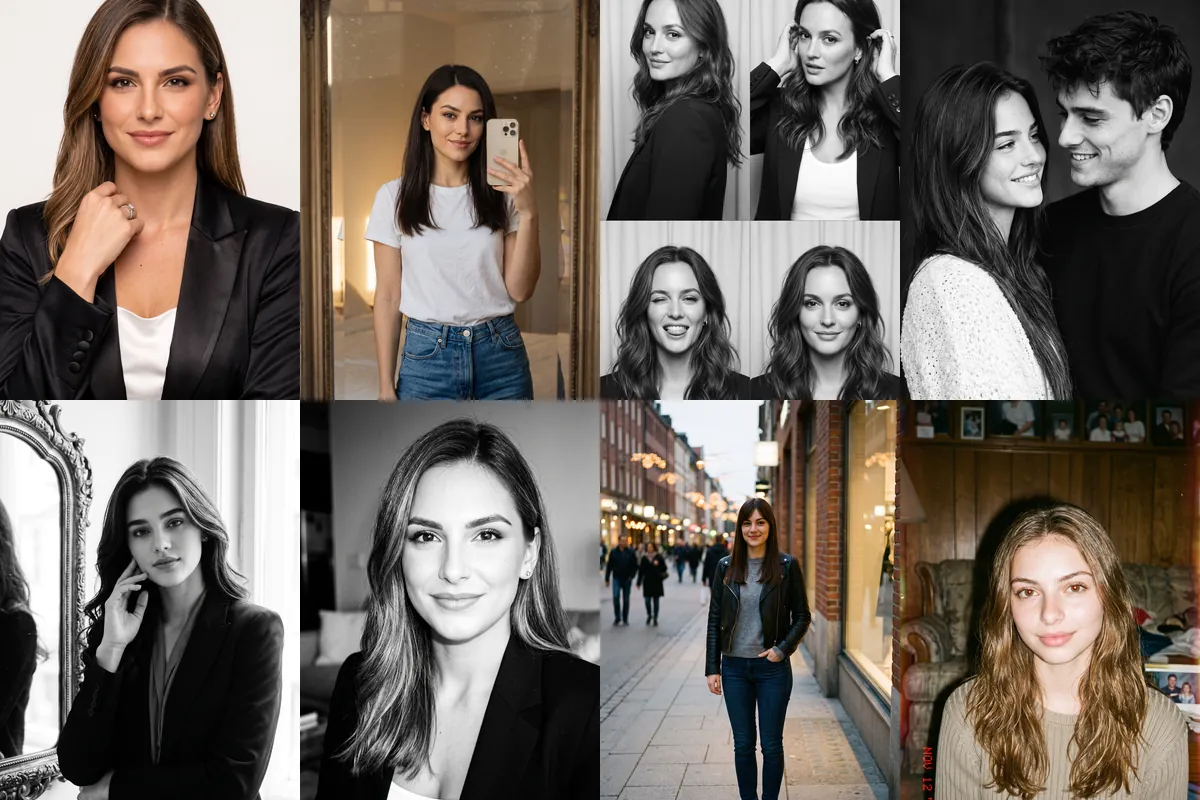
This is the set people reach for first: simple, everyday photo styles that look like they came from a phone, a photobooth or an old film camera. They work for profile pictures, Instagram posts and refreshing a feed without a full themed costume.
Each prompt is a Reshot AI template. Open it with a selfie in the app, or copy the text to try elsewhere. All eight ask to keep your face and hairstyle as they are.
How these templates use your photo
Each template starts from a photo you pick. The prompt tells the model what to change, and your photo is the reference for everything else. Clear, front-facing photos with even light give the closest match.
1. Clean studio magazine portrait
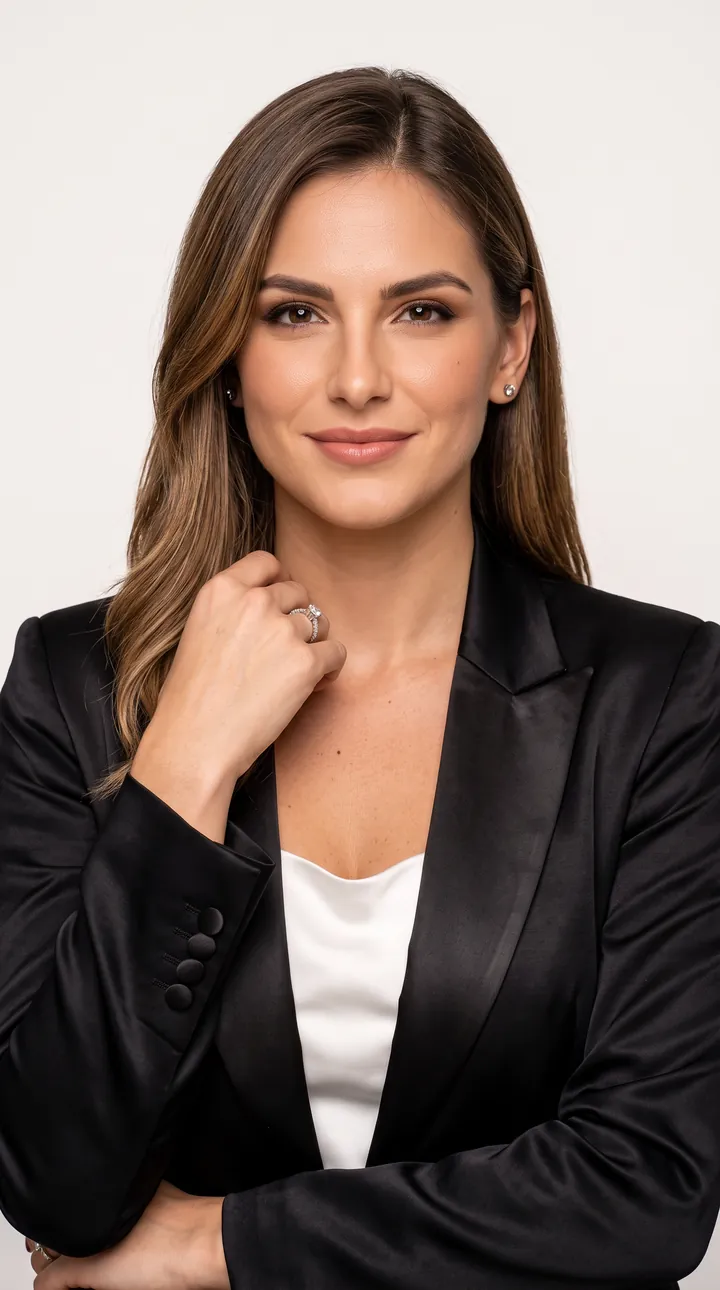
A fashion portrait in an elegant outfit, shown here as a black satin blazer over a white top, against a clean light studio background. Soft directional light falls across the face without heavy shadow.
A realistic high-end fashion portrait of the exact person from the reference photo. Preserve the exact face, identity, hairstyle, facial structure, and natural features without changing them. Elegant outfit, confident natural pose, clean studio background, soft directional lighting, realistic skin and fabric texture, professional fashion photography.
2. Full-length mirror selfie
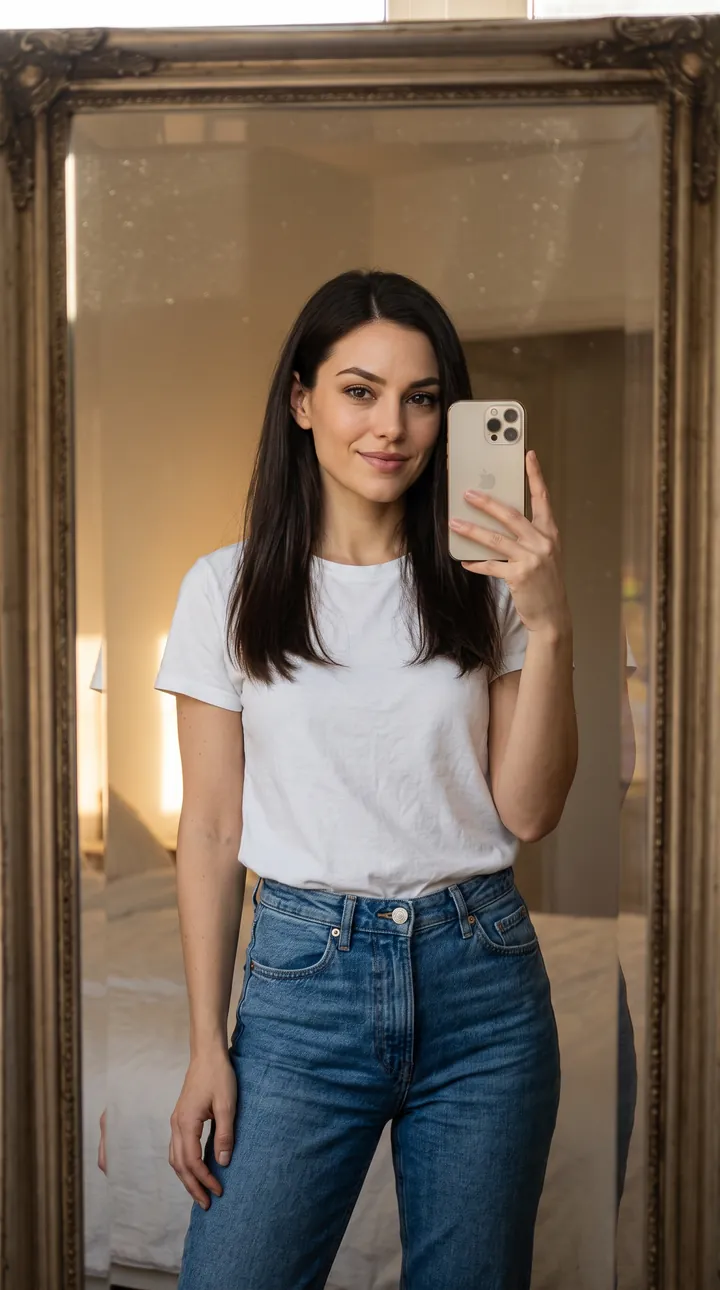
A casual mirror selfie in a white tee and jeans, phone in hand, in front of a large framed mirror at home. The indoor light and plain outfit keep it looking like an ordinary phone photo.
Realistic mirror portrait of the exact person from the reference photo. Preserve the exact face, hairstyle, facial features, and identity. Standing naturally in front of a large mirror, casual outfit, relaxed pose, realistic indoor lighting, subtle reflections, natural skin texture, authentic lifestyle photography.
3. Black-and-white photobooth strip
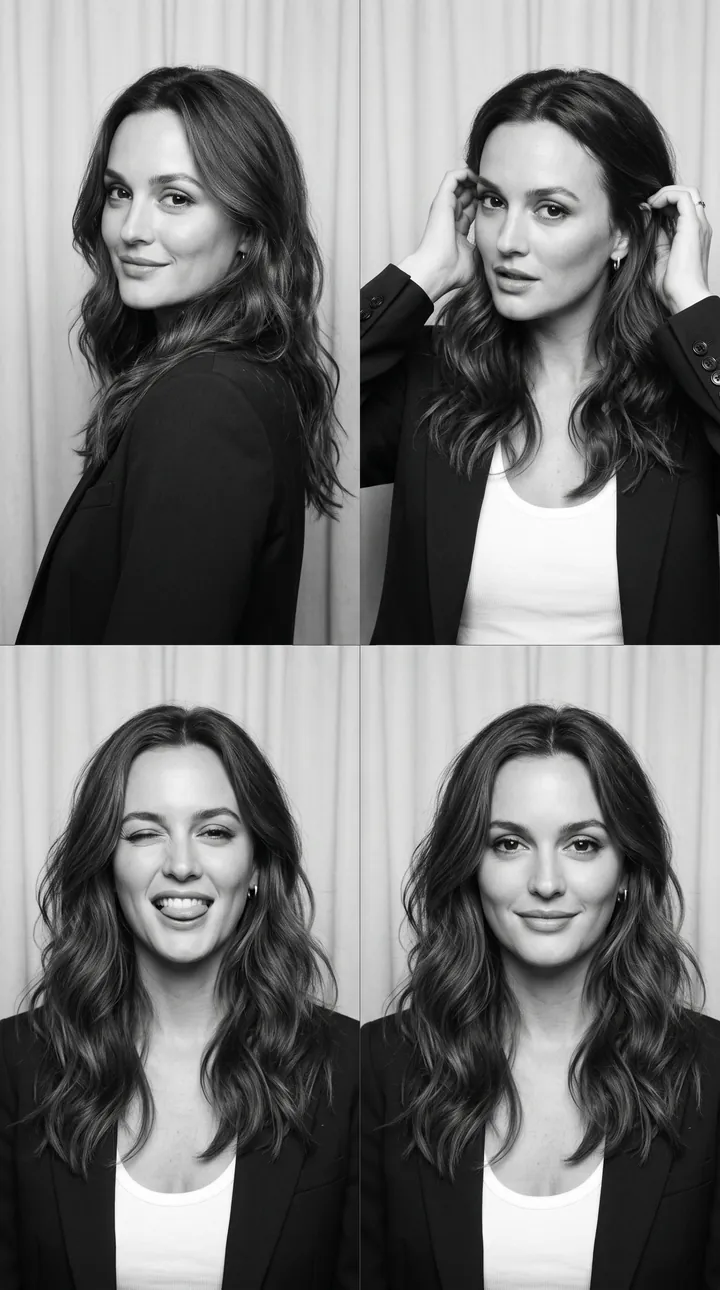
A 2x2 black-and-white photobooth grid with four poses: looking over the shoulder, fixing hair, a playful face and a soft smile. Direct flash on a plain background keeps every frame focused on the face.
Create a realistic black-and-white 2×2 photobooth collage of the exact person in the reference photo. Keep the same face, facial features, skin tone, hairstyle, and identity fully recognizable. Four natural poses: looking over shoulder, fixing hair, playful expression, and soft smile. Simple studio background, direct flash, casual clothing, authentic 35mm film photography.
4. Black-and-white couple portrait
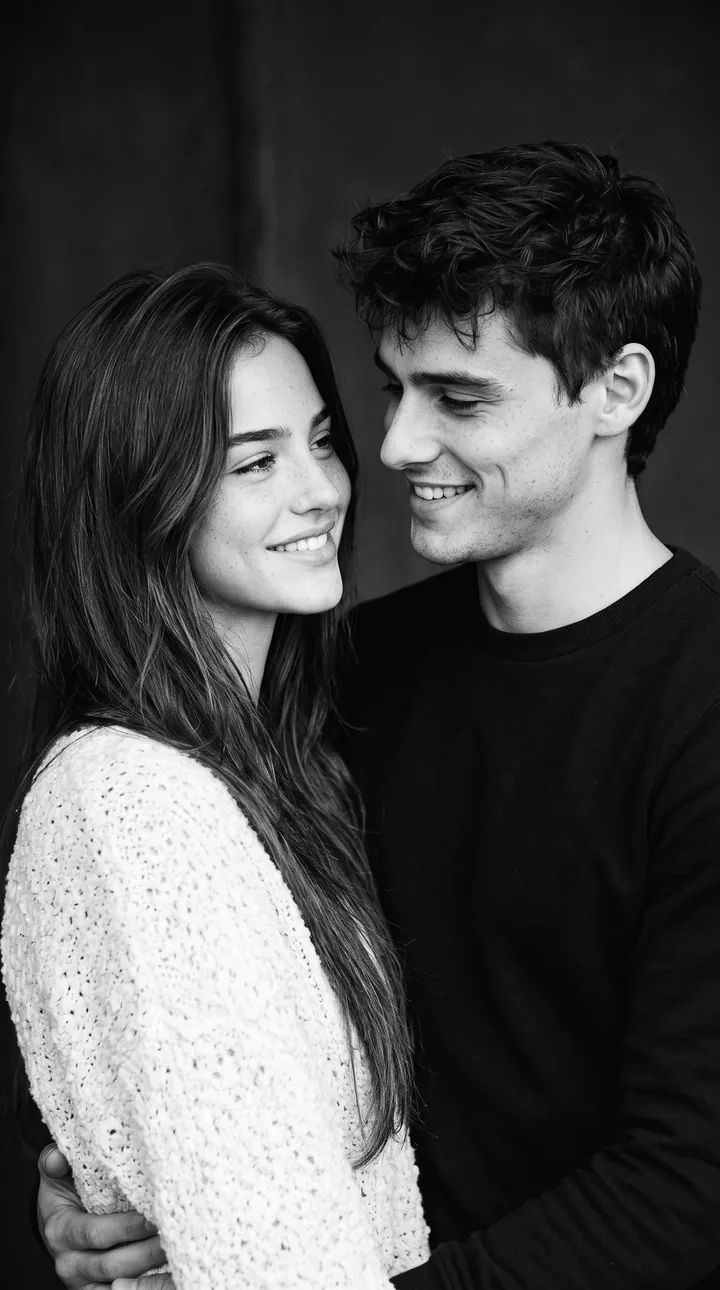
A black-and-white portrait of you standing close to a second person, both smiling at each other against a dark background. Only the reference person's face is kept, while the partner is generated.
A realistic black-and-white portrait of the exact person from the reference photo with another person, standing naturally close together and smiling at each other. Preserve the reference person’s exact face, facial features, hairstyle, and identity. Simple dark background, soft studio lighting, natural expressions, authentic 35mm photography.
5. Beside a vintage mirror
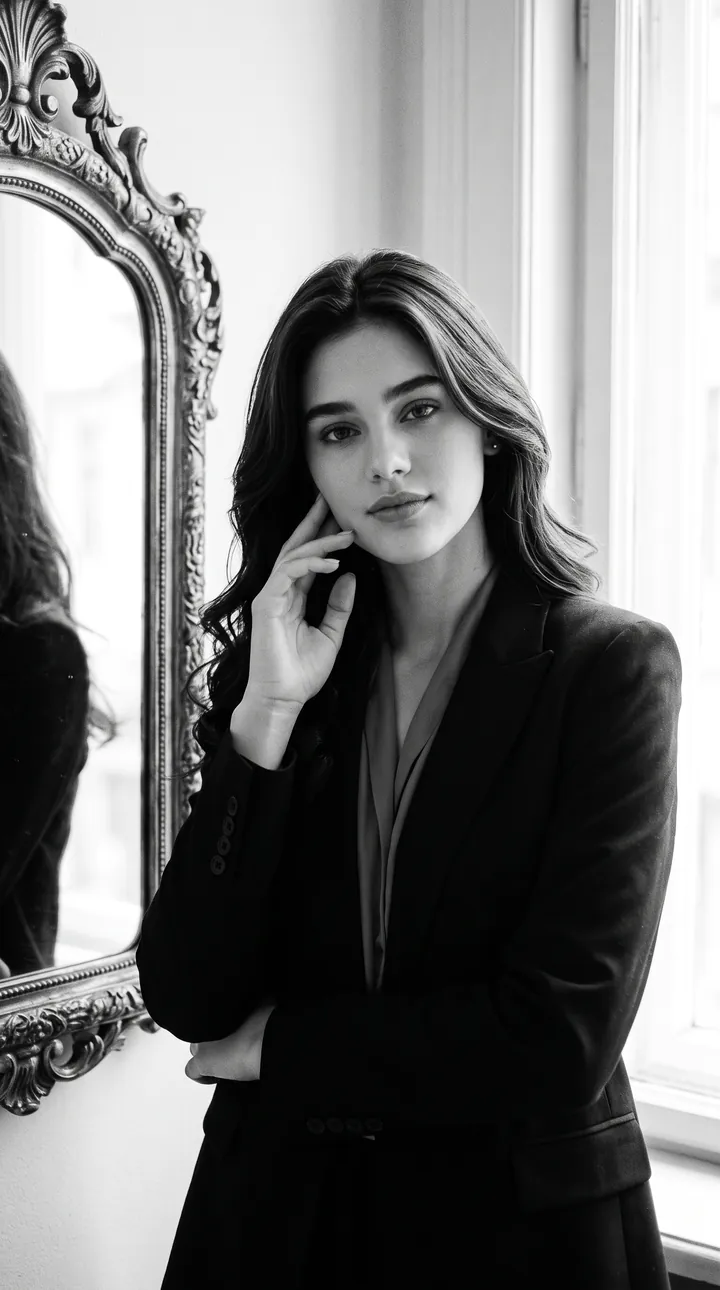
A black-and-white portrait next to an ornate vintage mirror in a dark blazer, one hand near the face, lit by soft window light. Subtle film grain gives it a classic look without hiding facial detail.
Realistic black-and-white portrait of the exact person from the reference photo standing beside an ornate vintage mirror. Preserve the exact face, identity, hairstyle, and natural features. One hand near the face, relaxed expression, elegant dark outfit, soft window light, subtle film grain, classic portrait photography.
6. Direct flash close-up
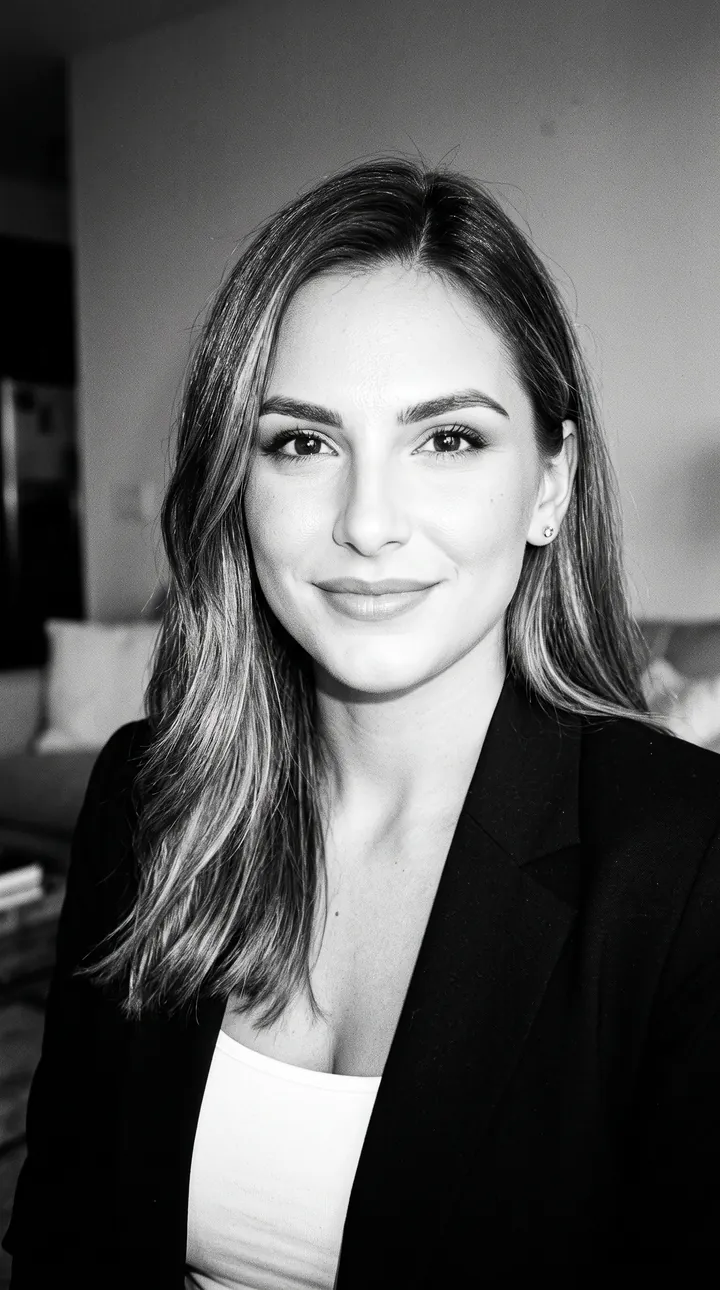
A close black-and-white flash photo with a relaxed expression and a softly blurred room behind. The direct flash lights the face evenly, the way a candid party photo does.
A realistic black-and-white flash photograph of the exact person from the reference photo. Keep the face, identity, hairstyle, and facial features unchanged. Close-up portrait, direct camera flash, relaxed expression, simple indoor background, natural skin texture, slight background blur, authentic candid photography.
7. Evening city street portrait
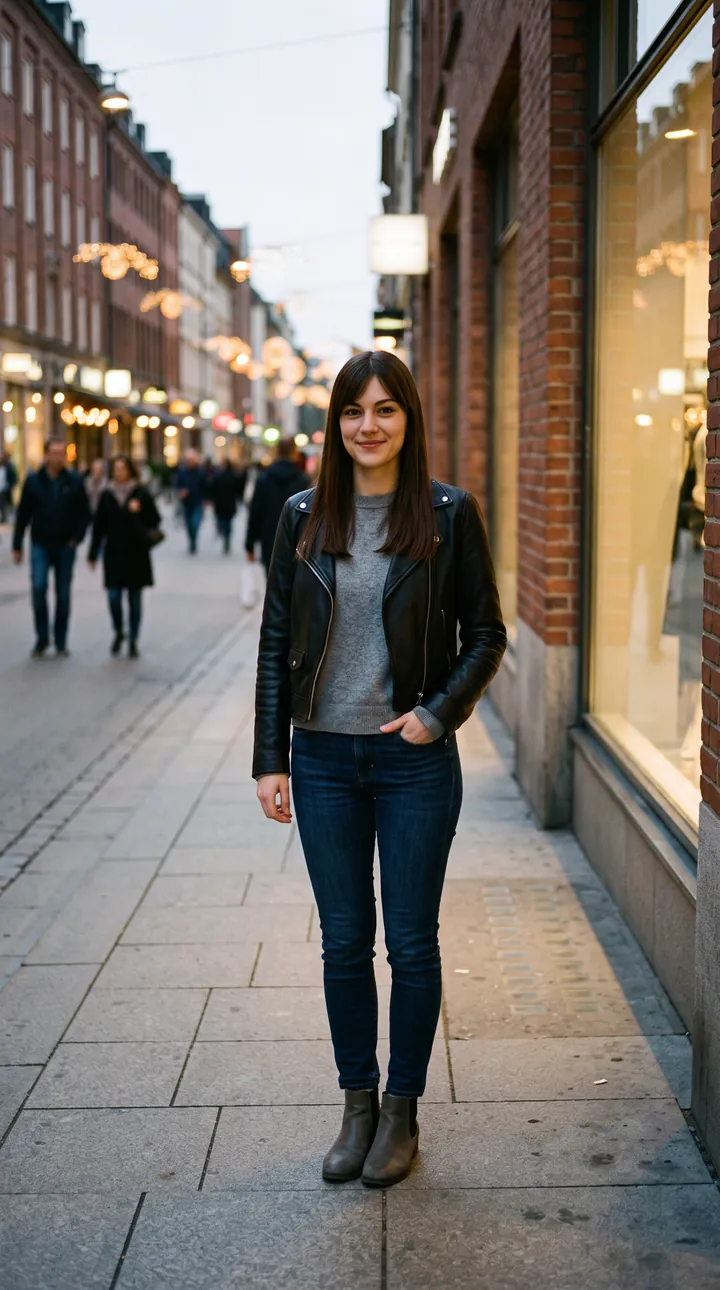
A full-length street portrait in a leather jacket and jeans on a shop-lined sidewalk as the street lights come on. The background blurs slightly so the person stands out from passersby.
A realistic street portrait of the exact person from the reference photo. Keep the same recognizable face, facial structure, hairstyle, and identity. Standing naturally on a city street, casual fashionable outfit, evening street lights, subtle background blur, natural body language, authentic documentary photography.
8. 90s film snapshot at home
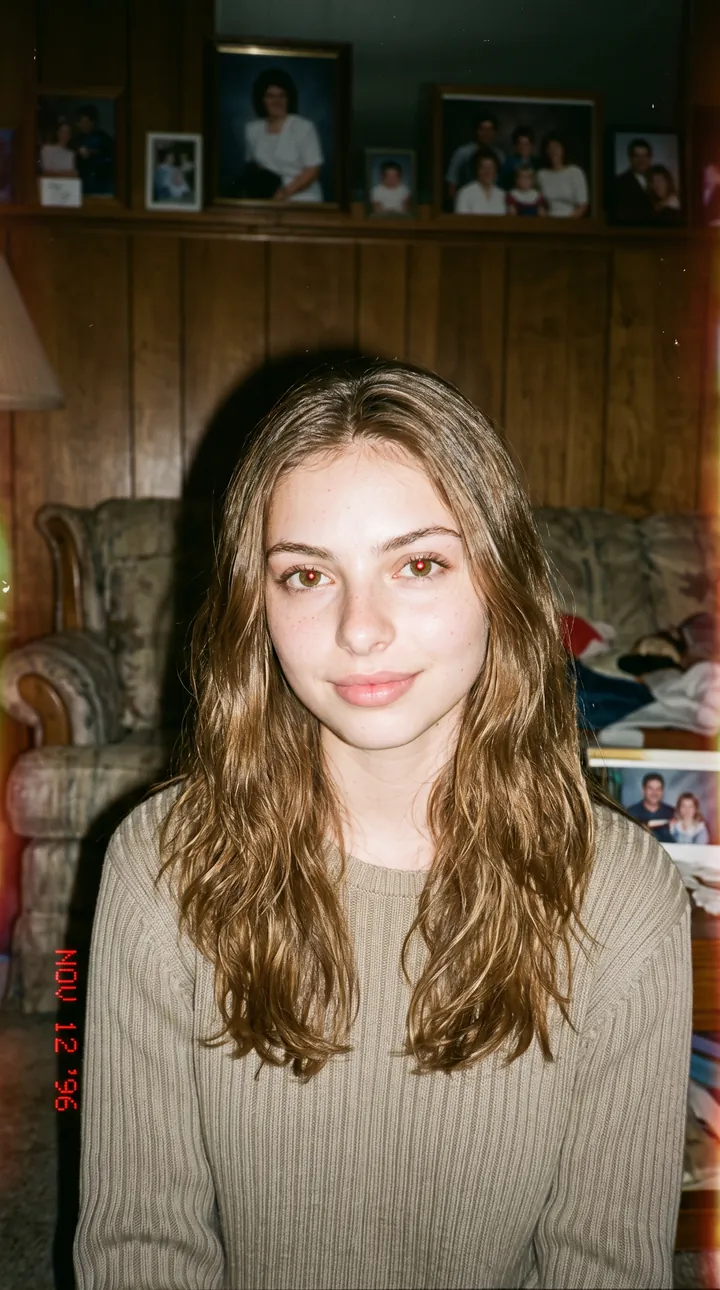
A 1990s-style flash snapshot in a casual sweater, sitting in a wood-paneled living room with family photos on the shelf. The grainy film and slightly off exposure come from the prompt, while the face and hair are kept.
Realistic 1990s-style film portrait of the exact person from the reference photo. Preserve the exact face, identity, hairstyle, and natural facial features. Simple indoor setting, casual clothing, soft flash, slightly grainy 35mm film, natural expression, authentic imperfect exposure.
How to use these templates in Reshot AI
- Open Reshot AI on iPhone and find the Popular Photoshoots category on the home screen.
- Pick a template. Choose a clear, front-facing selfie with good light; it is the reference for your face.
- Generate. Results arrive in the app’s History, so you can come back for them later.
- Want a different expression in the result? Open it in the Face Editor and add a smile, open closed eyes, or turn the head.
Frequently asked questions
Will the result look like me?
Each template uses your photo as the reference and describes the look, not a new face. Clear, front-facing photos with even light give the closest match.
Can I use these prompts outside Reshot AI?
Yes. The copy button gives you the full prompt; it works in any image tool that accepts a reference photo. Results will differ by model.
Is Reshot AI free?
The app is free to download. Generating templates uses credits or a Premium subscription; details are in the app.
Try Popular Photoshoots in Reshot AI
Download Reshot AI, pick a template, choose a selfie.
⬇ Download on the App Store