LinkedIn headshot AI prompts: 6 profile photo styles for founders and executives

A LinkedIn photo is often the first thing a recruiter or client sees. This set gives you six variations, from a formal navy suit on gray to a relaxed founder shot in an office, so you can pick the one that matches your role and industry.
Each prompt is a Reshot AI template you can open with a selfie, or copy into another tool. All six use the same opening line asking to keep your facial features and face shape, and all frame you centered in a vertical crop.
How these templates use your photo
Each template starts from a photo you pick. The prompt tells the model what to change, and your photo is the reference for everything else. Clear, front-facing photos with even light give the closest match.
1. CEO in a navy suit

A tailored navy suit with a crisp white shirt, upper-body and centered, on a clean gray office background with soft studio light. A subtle, confident expression and realistic skin texture keep it formal.
Based on the uploaded reference image, carefully preserve the person's facial features, face shape, and identity details, transform the portrait into a polished CEO-style LinkedIn headshot with a tailored navy suit, crisp white shirt, subtle confident expression, soft studio lighting, clean gray office background, realistic skin texture, centered upper-body composition, professional and trustworthy corporate branding --ar 9:16
2. Friendly founder

A blazer over an open-collar shirt with a natural smile, in front of a softly blurred, bright workspace. Head-and-shoulders framing keeps the face large in the frame.
Based on the uploaded reference image, carefully preserve the person's facial features, face shape, and identity details, transform the photo into a friendly founder LinkedIn headshot with a tailored blazer, open-collar shirt, natural smile, airy office lighting, softly blurred workspace background, realistic skin tones, centered head-and-shoulders framing --ar 9:16
3. Beige-gray executive

Elegant business attire with arms folded against a plain beige-gray wall in soft editorial light. Direct eye contact with the camera keeps the focus on the face.
Based on the uploaded reference image, carefully preserve the person's facial features, face shape, and identity details, edit the portrait into a polished executive personal branding headshot with elegant business attire, soft editorial lighting, tasteful beige-gray background, confident eye contact, realistic texture, centered professional composition --ar 9:16
4. Creative agency CEO

Smart business casual, such as a blazer over a sweater, in a modern studio office with soft window light. The expression is relaxed and the color grading stays natural on the skin.
Based on the uploaded reference image, carefully preserve the person's facial features, face shape, and identity details, update the portrait into a creative agency CEO LinkedIn headshot with smart business-casual styling, soft window light, modern studio office background, refined color grading, confident relaxed expression, centered upper-body composition, premium branding feel --ar 9:16
5. Women in leadership
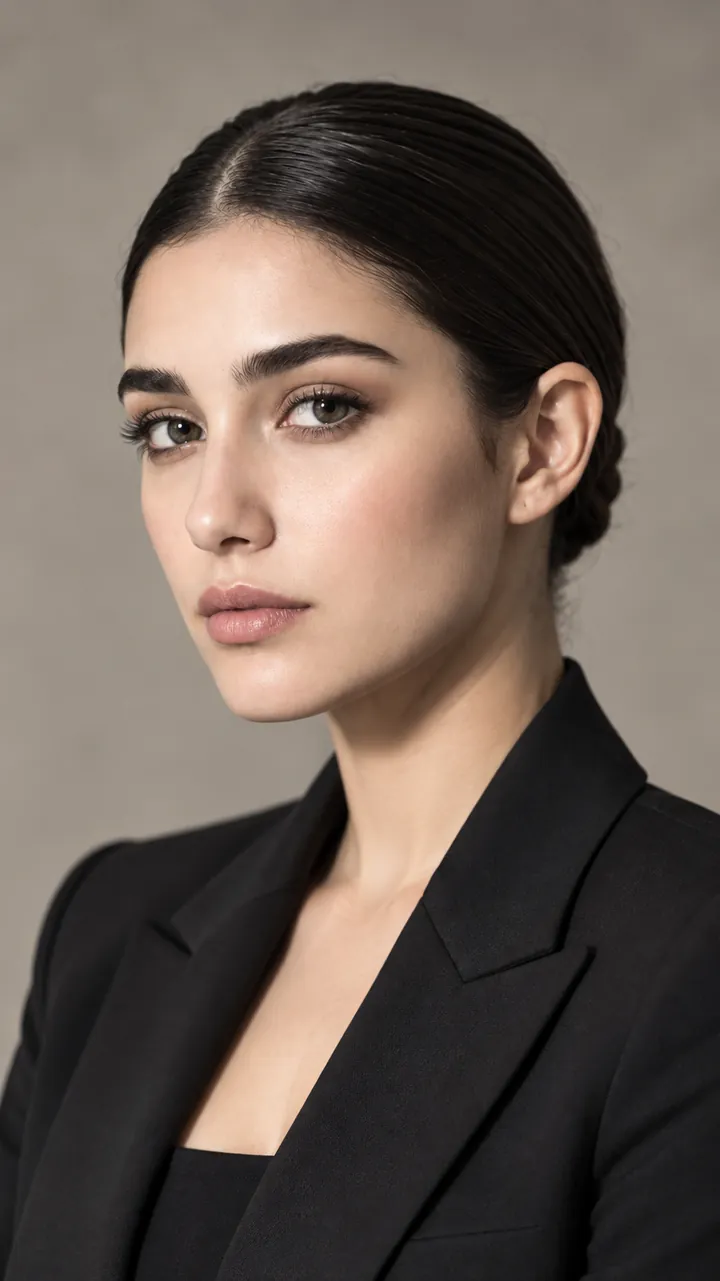
A structured blazer and polished hair against a minimal, upscale office backdrop in soft flattering light. The expression is assured and approachable, with a realistic, unretouched finish.
Based on the uploaded reference image, carefully preserve the person's facial features, face shape, and identity details, transform the portrait into a women in leadership LinkedIn headshot with a structured blazer, polished hair, soft flattering light, minimal upscale office background, assured and approachable expression, realistic professional finish, centered framing --ar 9:16
6. Boardroom executive
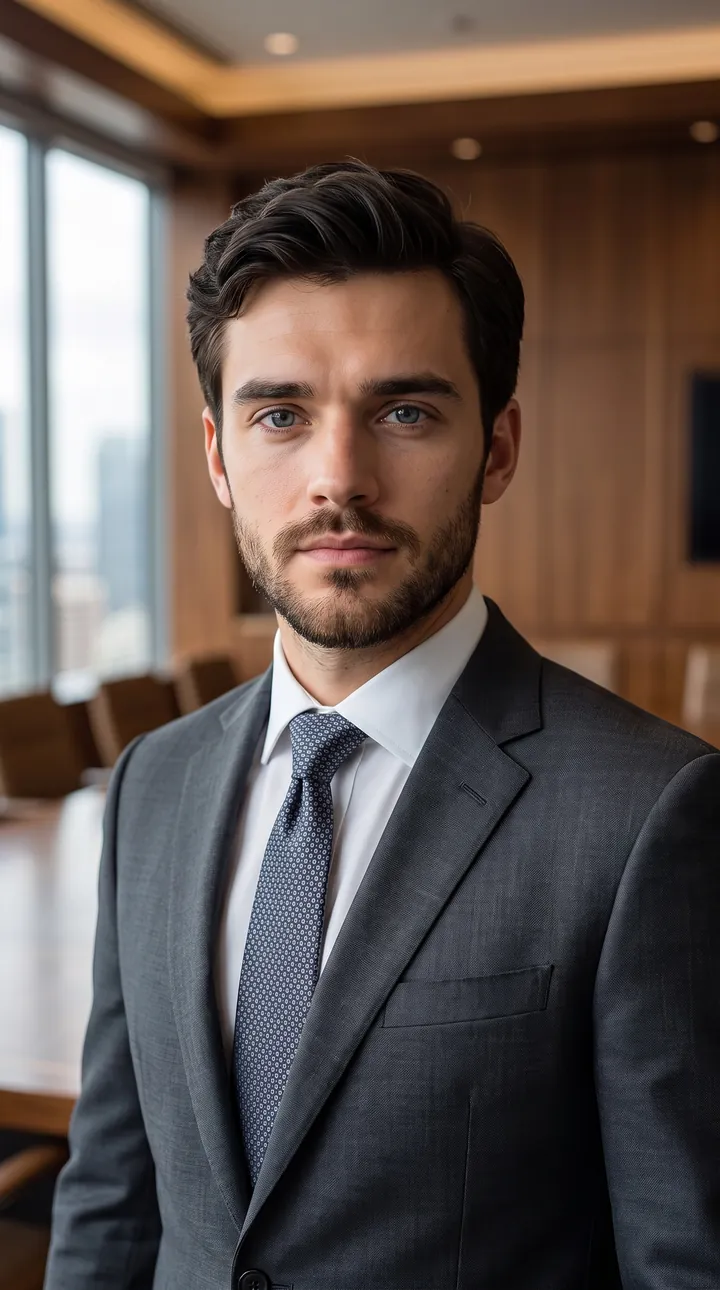
A charcoal suit and tie with soft directional light and a blurred wood-paneled boardroom behind. Calm, steady framing keeps the upper body centered and the face sharp.
Based on the uploaded reference image, carefully preserve the person's facial features, face shape, and identity details, edit the image into a premium executive LinkedIn headshot with a charcoal suit, elegant tie, soft directional lighting, upscale boardroom background blur, calm authority, realistic detail, centered upper-body framing, luxury corporate aesthetic --ar 9:16
How to use these templates in Reshot AI
- Open Reshot AI on iPhone and find the Linkedin category on the home screen.
- Pick a template. Choose a clear, front-facing selfie with good light; it is the reference for your face.
- Generate. Results arrive in the app’s History, so you can come back for them later.
- Want a different expression in the result? Open it in the Face Editor and add a smile, open closed eyes, or turn the head.
Frequently asked questions
Will the result look like me?
Each template uses your photo as the reference and describes the look, not a new face. Clear, front-facing photos with even light give the closest match.
Can I use these prompts outside Reshot AI?
Yes. The copy button gives you the full prompt; it works in any image tool that accepts a reference photo. Results will differ by model.
Is Reshot AI free?
The app is free to download. Generating templates uses credits or a Premium subscription; details are in the app.
Try Linkedin in Reshot AI
Download Reshot AI, pick a template, choose a selfie.
⬇ Download on the App Store