Halloween looks to try: 8 AI costume and makeup prompts for your selfie
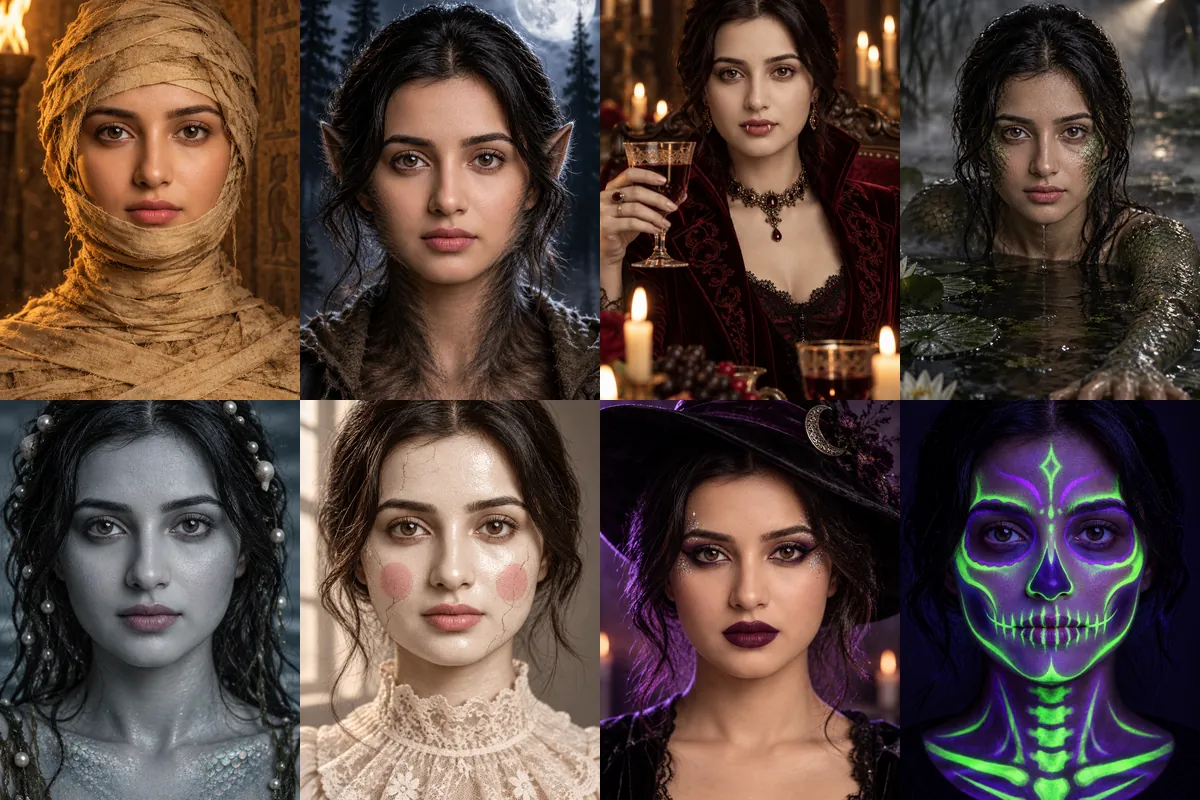
These are short, first-person prompts for testing a costume idea on your own face before you commit to it. They cover classic monsters plus two makeup looks you could actually recreate at home.
Each one is a Reshot AI template you can open with a selfie in the iPhone app, or copy into another tool. Every prompt names what should stay the same, such as your eyes, nose, lips or face shape.
How these templates use your photo
Each template starts from a photo you pick. The prompt tells the model what to change, and your photo is the reference for everything else. Clear, front-facing photos with even light give the closest match.
1. Mummy wrapped in old linen
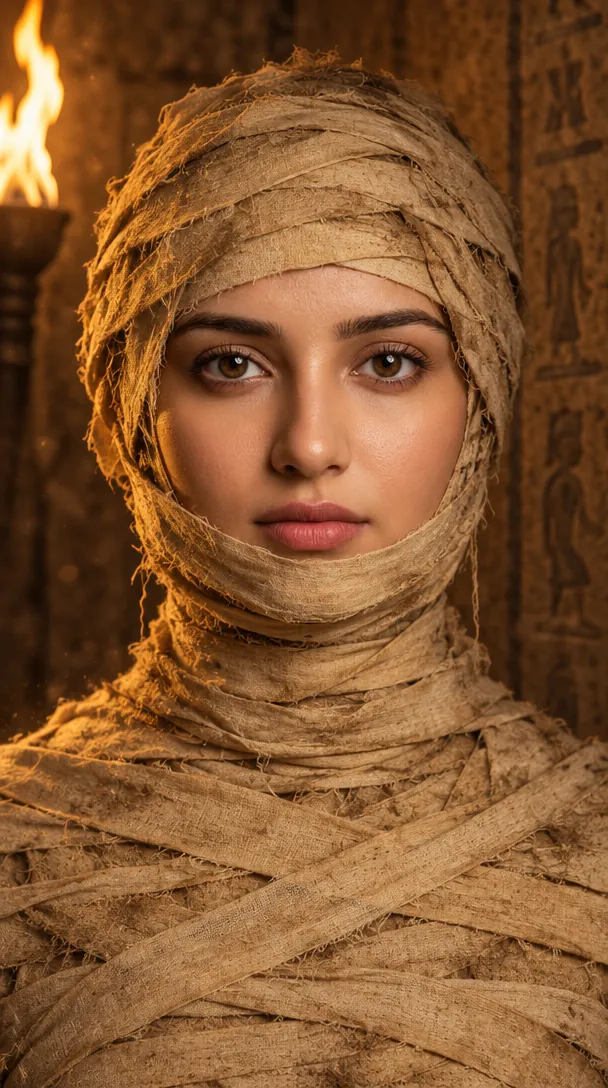
A mummy wrap in yellowed linen bandages, lit by torchlight from the left against a dusty tomb wall. The eyes and the center of the face are left uncovered and unchanged.
Wrap me as an ancient mummy in yellowed linen, leaving my eyes and the center of my face uncovered and unchanged. Torchlight from the left, dusty tomb wall.
2. Halfway to werewolf
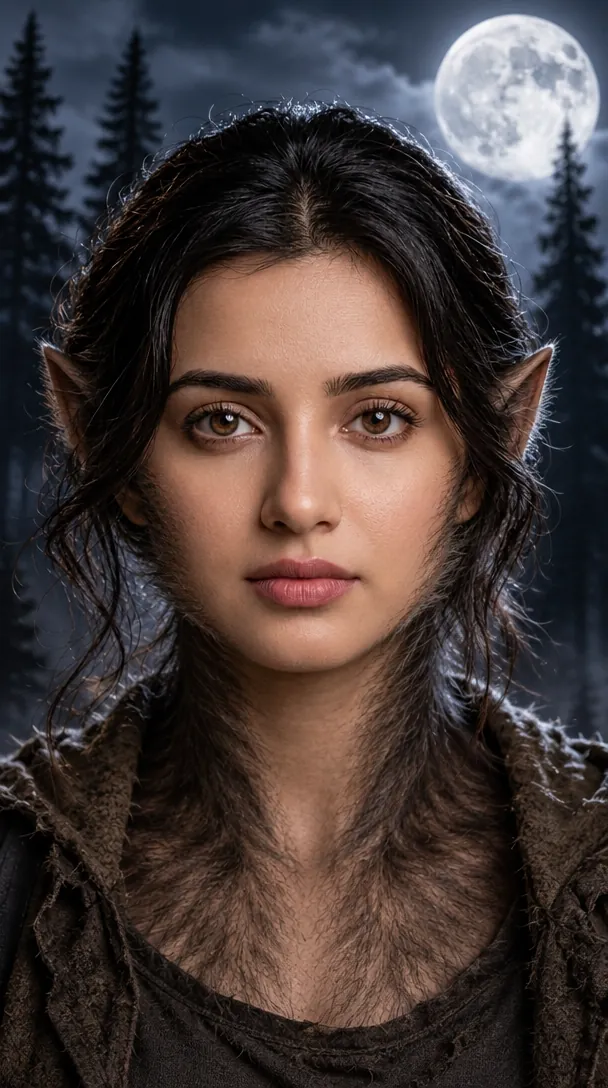
Halfway through turning into a werewolf, with coarse fur creeping up the neck and pointed ears rising, under a full moon over pine trees. The face shape and eye color stay as they are in the photo.
Show me halfway into a werewolf transformation, coarse fur creeping up my neck and pointed ears rising. Face shape and eye color unchanged. Full moon over pines, 9:16.
3. Vampire at a candlelit banquet
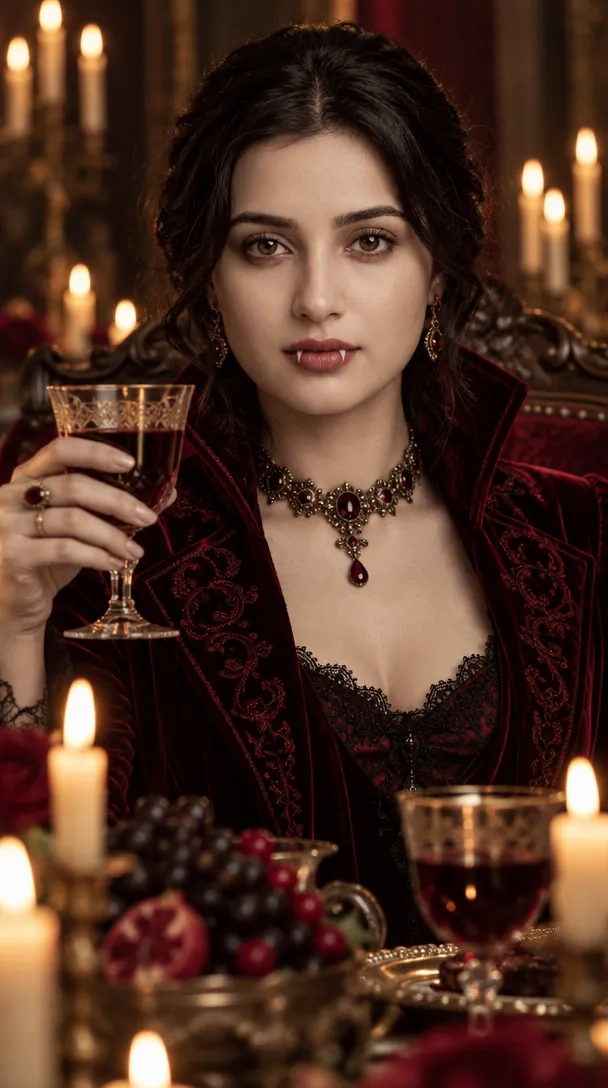
A vampire host in a velvet coat with pale powder and faint fangs, raising a glass at a long candlelit banquet table. The prompt keeps the nose, eyes and smile identical to the original photo.
Turn me into a vampire host at a long candlelit banquet table, velvet coat, faint fangs, pale powder. Nose, eyes, and smile identical to the photo, 9:16.
4. Swamp creature with green scales
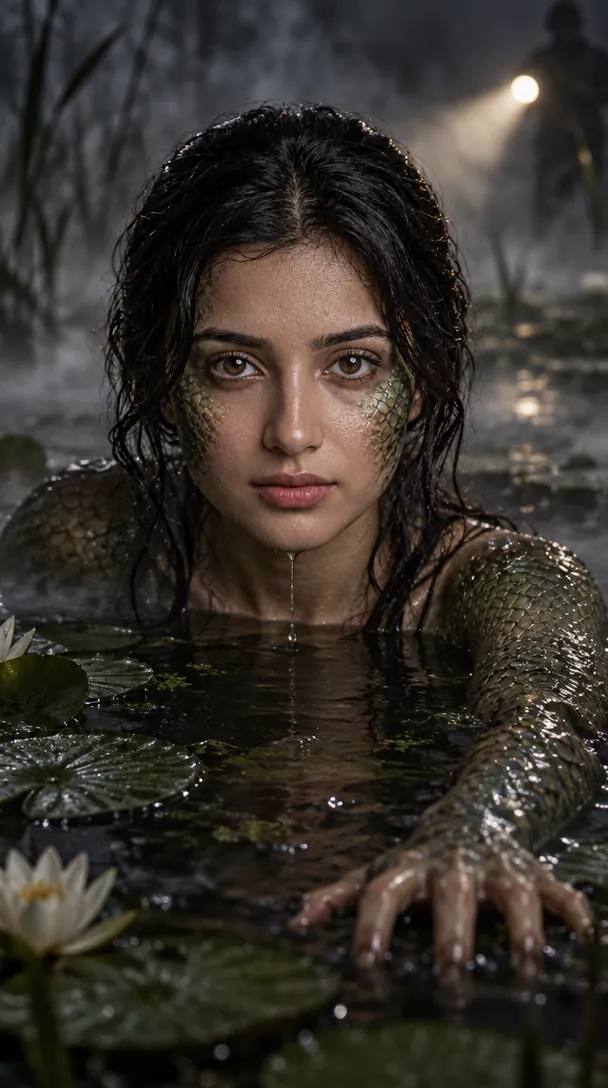
Rising from dark swamp water with green scales along the cheekbones and arms, among lily pads and drifting fog under a flashlight beam. The eyes and mouth are left untouched.
Show me rising from dark swamp water with green scales along my cheekbones and arms, eyes and mouth untouched. Lily pads, drifting fog, a flashlight beam, 9:16.
5. Drowned sea siren
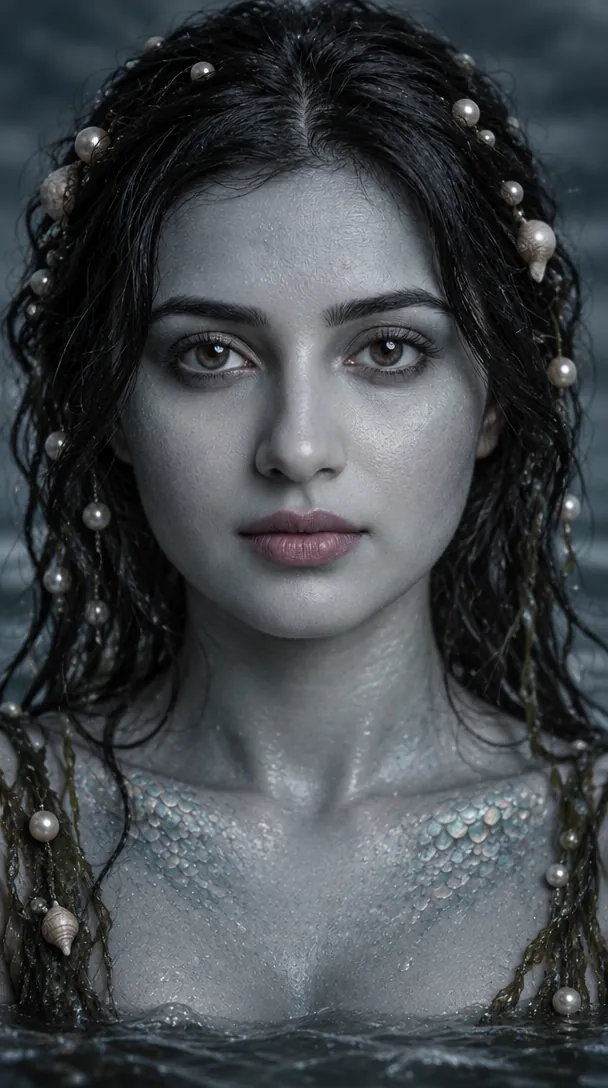
A drowned siren with blue-gray skin, pearls in damp hair and tiny scales on the collarbones, half-submerged in dark water. The prompt asks for features that match the photo exactly.
Turn me into a drowned sea siren with blue-gray skin, pearls in damp hair, and tiny scales on my collarbones. My features match the photo exactly, 9:16.
6. Cracked porcelain doll finish
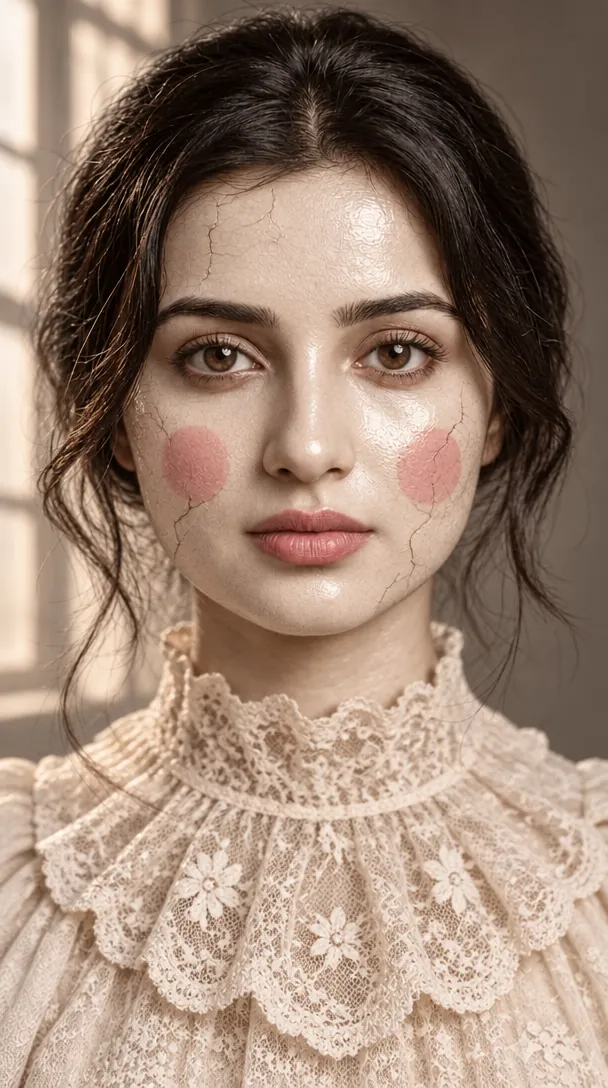
A porcelain doll finish with hairline cracks and painted rosy circles on the cheeks, a high lace collar and soft window light. Eye shape and lips stay as they are.
Give my selfie a cracked porcelain doll finish, with hairline cracks on the cheeks and painted rosy circles. Eye shape and lips stay as they are. Lace collar, window light, 9:16.
7. Witch glam makeup
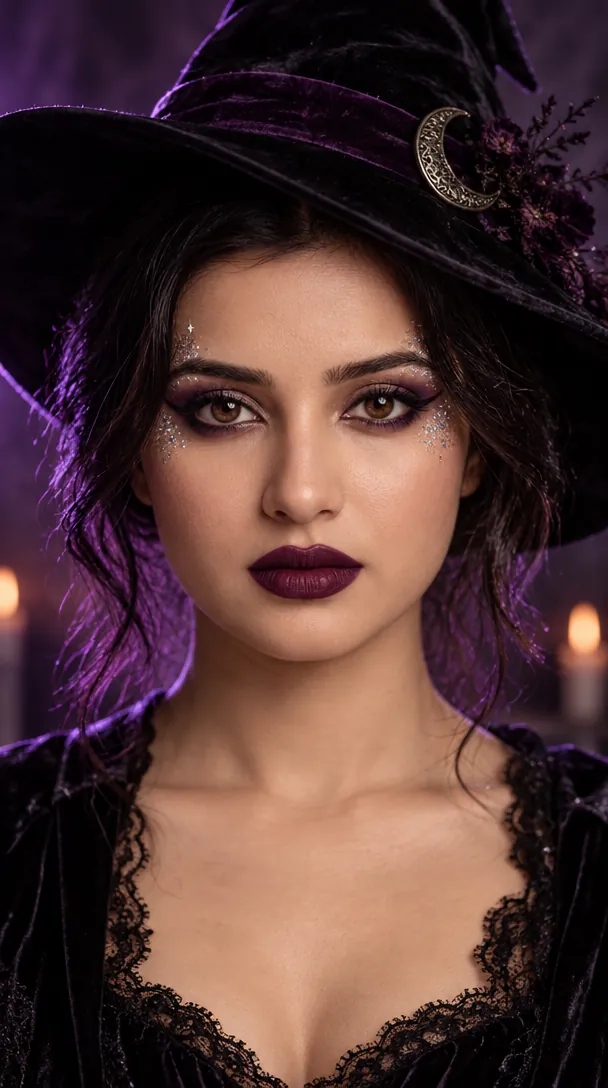
Witch makeup with deep plum lips, black winged liner and silver glitter at the temples, finished with a pointed velvet hat and purple rim light. The natural face shape is kept, so it works as a makeup reference.
Add witch glam makeup, deep plum lips, black winged liner, and silver glitter at the temples, keeping my natural face shape. Pointed velvet hat, purple rim light, 9:16.
8. Blacklight skeleton paint
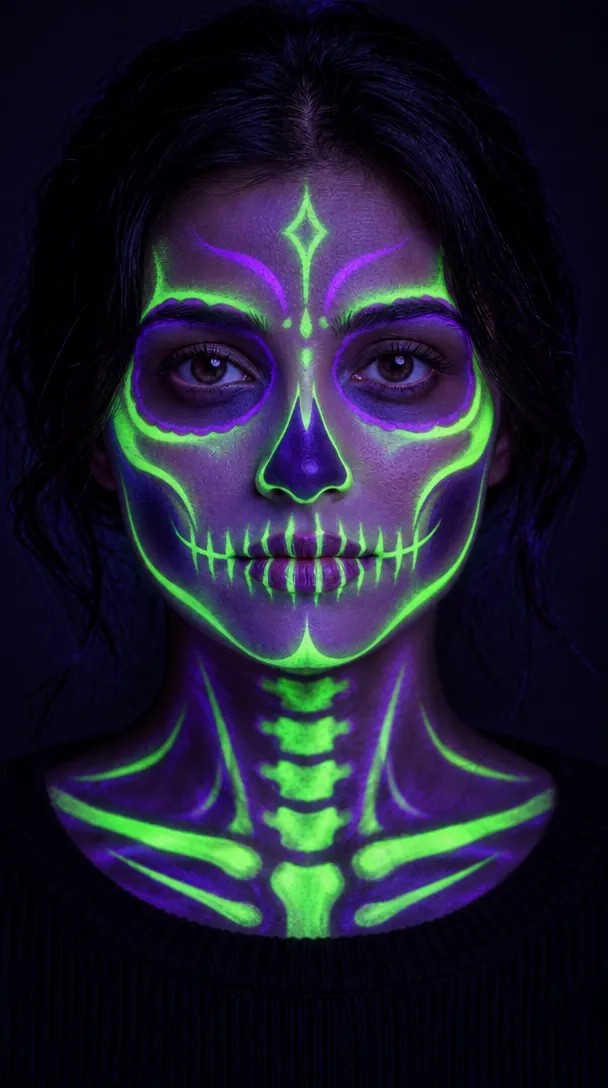
Neon green and violet skeleton lines painted over the face and neck, as if glowing under a blacklight in a dark room. The paint sits on top of the face without altering the features.
Paint glowing skeleton lines on my face and neck as if lit by a blacklight, without altering my features. Dark room, neon green and violet glow, 9:16.
How to use these templates in Reshot AI
- Open Reshot AI on iPhone and find the Halloween To Try category on the home screen.
- Pick a template. Choose a clear, front-facing selfie with good light; it is the reference for your face.
- Generate. Results arrive in the app’s History, so you can come back for them later.
- Want a different expression in the result? Open it in the Face Editor and add a smile, open closed eyes, or turn the head.
Frequently asked questions
Will the result look like me?
Each template uses your photo as the reference and describes the look, not a new face. Clear, front-facing photos with even light give the closest match.
Can I use these prompts outside Reshot AI?
Yes. The copy button gives you the full prompt; it works in any image tool that accepts a reference photo. Results will differ by model.
Is Reshot AI free?
The app is free to download. Generating templates uses credits or a Premium subscription; details are in the app.
Try Halloween To Try in Reshot AI
Download Reshot AI, pick a template, choose a selfie.
⬇ Download on the App Store