Cartoon yourself AI prompts: 7 animated and anime styles
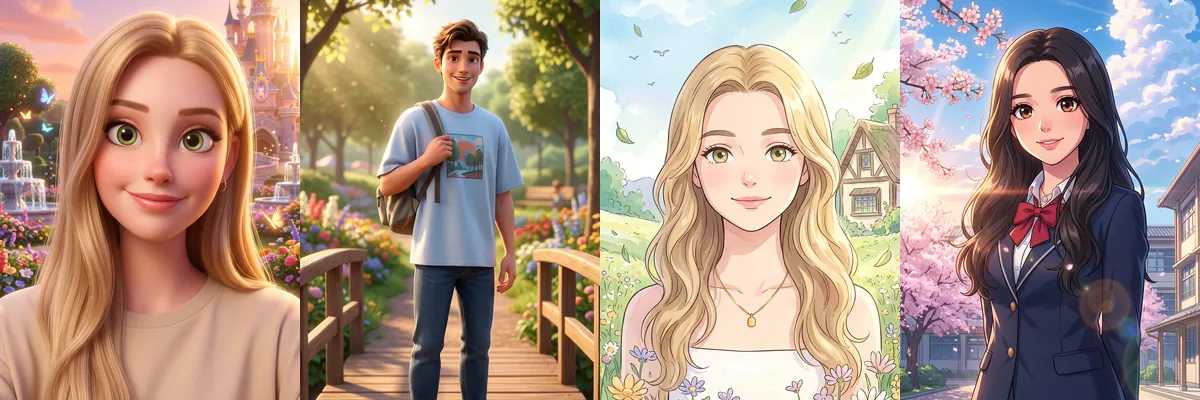
This set turns a photo into an animated character in seven different styles, from glossy 3D movie characters to hand-painted anime and tiny chibi figures. It is good for avatars, gifts, kids' party invitations and fun profile pictures.
Each prompt uses your selfie as the identity reference and redraws you in the chosen style. You can open any of them as a Reshot AI template, or copy the prompt for another tool.
How these templates use your photo
Each template starts from a photo you pick. The prompt tells the model what to change, and your photo is the reference for everything else. Clear, front-facing photos with even light give the closest match.
1. 3D princess in a castle garden
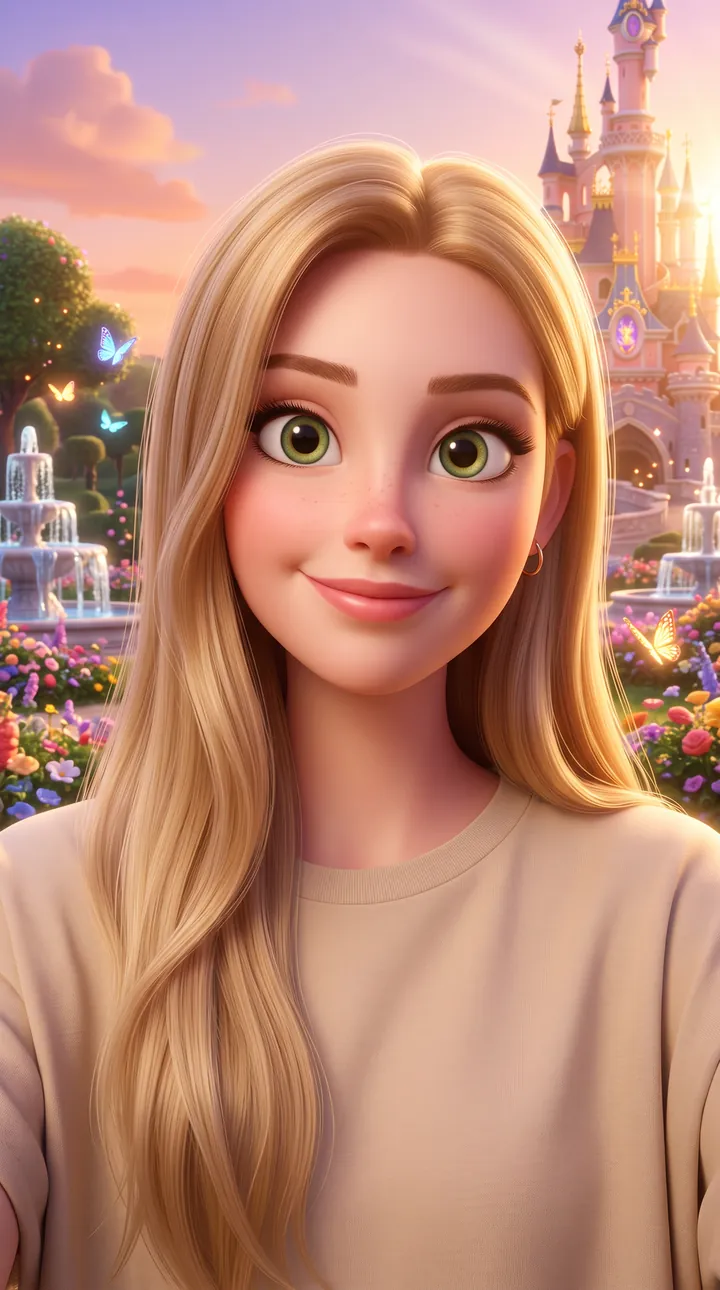
A 3D animated close-up with large expressive eyes in a castle garden full of flowers, fountains and sunset light. The soft skin shading keeps the face simple and easy to read at small sizes.
Create a beautiful Disney-inspired 3D animated portrait using the uploaded reference image as the exact identity reference. **Scene:** Magical castle garden filled with flowers, glowing butterflies, fountains, and golden sunset. **Style:** Disney movie animation, expressive eyes, soft skin shading, colorful cinematic lighting, ultra-detailed 3D cartoon, Pixar-quality, 9:16 vertical, HD.
2. Animated walk in a sunny park
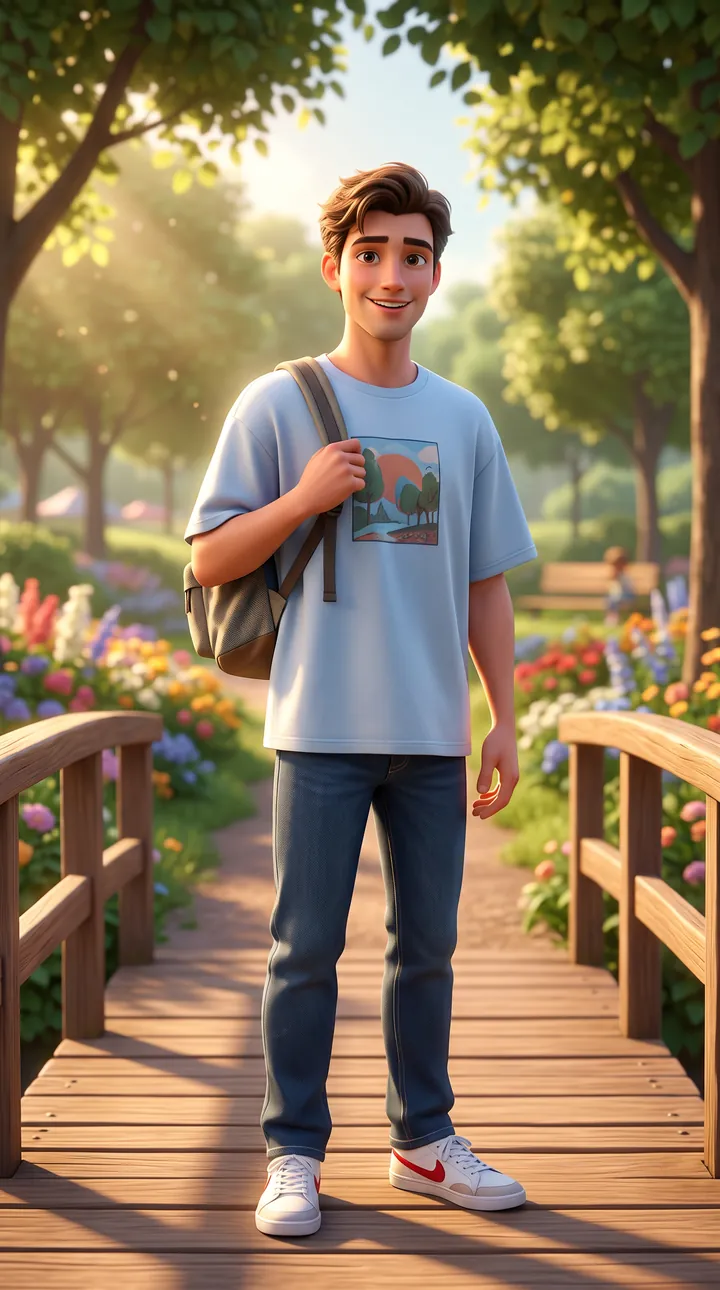
A full-length 3D cartoon on a wooden bridge in a sunny park, wearing an oversized T-shirt, jeans, sneakers and a backpack. Warm afternoon light and a blurred background keep attention on the character.
Create a Pixar-style animated outdoor portrait using the uploaded reference image as the exact identity reference. **Scene:** Sunny park with trees, flowers, wooden bridge, and soft afternoon light. **Outfit:** Casual oversized T-shirt, jeans, sneakers, backpack. **Style:** Pixar movie character, warm colors, expressive smile, 3D cartoon rendering, cinematic background blur, 9:16 vertical, HD.
3. Watercolor anime countryside
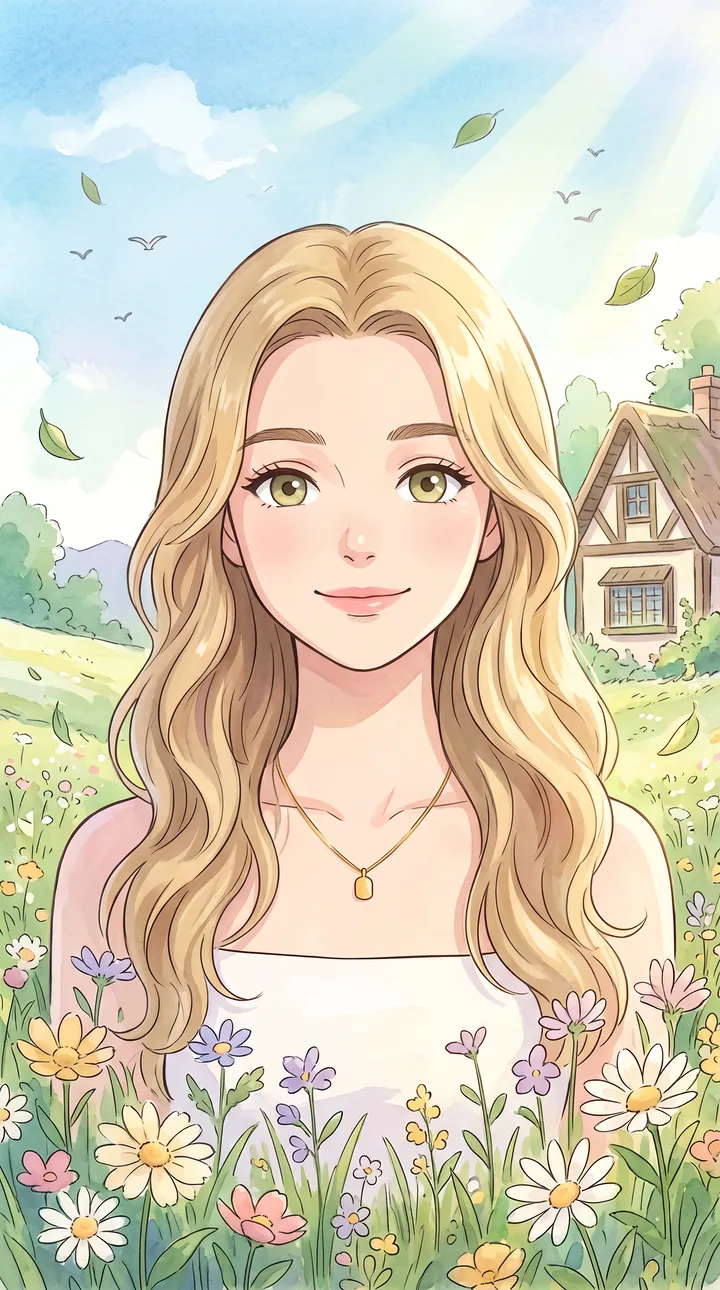
A hand-painted anime portrait among wildflowers with a small cottage, floating leaves and birds behind. Soft pastel watercolor tones keep the facial lines clean and gentle.
Create a Studio Ghibli-inspired portrait using the uploaded reference image as the exact identity reference. **Scene:** Peaceful countryside with wildflowers, a small cottage, floating leaves, birds, and dreamy sunlight. **Style:** Hand-painted anime illustration, watercolor textures, soft pastel colors, magical atmosphere, 9:16 vertical, HD.
4. Anime school under cherry blossoms
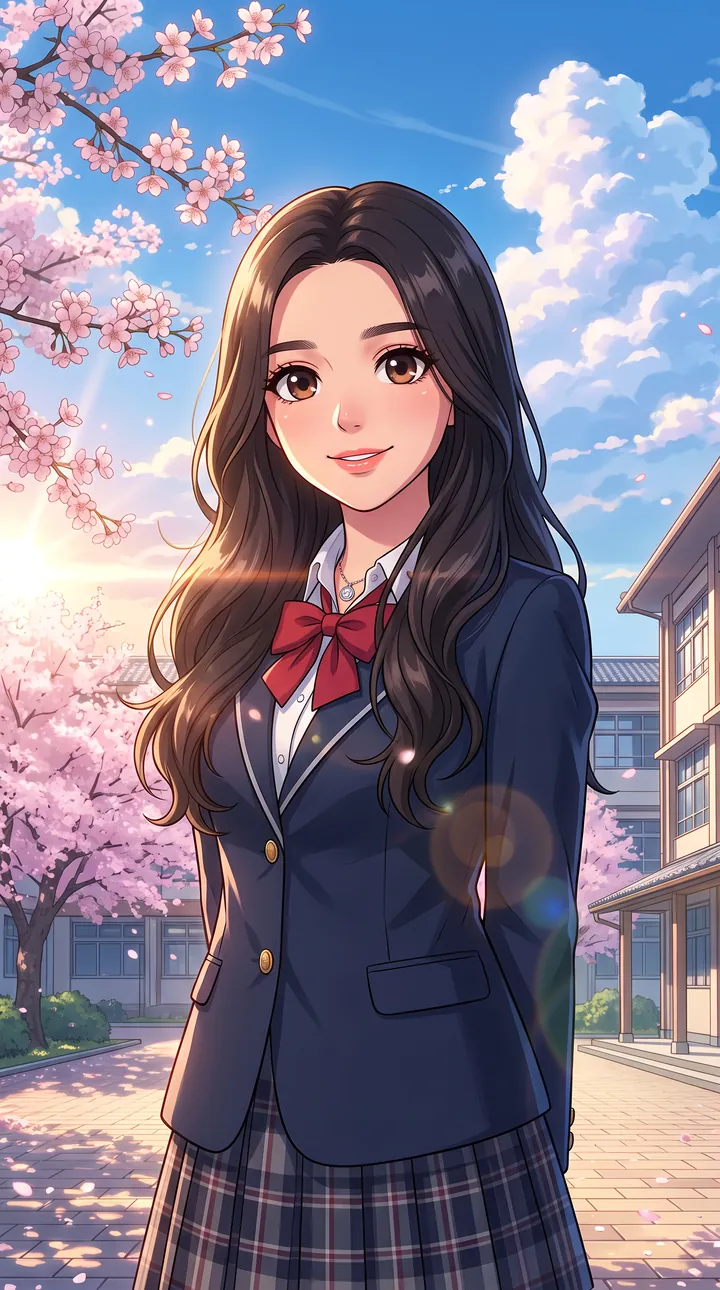
A modern anime portrait in a navy school blazer with a red bow and plaid skirt in a courtyard with cherry blossoms and blue sky. Bright cinematic sunlight lights the face and the large eyes carry the expression.
Create a modern anime portrait using the uploaded reference image as the exact identity reference. **Scene:** Japanese high school courtyard with cherry blossom trees and bright blue sky. **Outfit:** Stylish school uniform or modern streetwear. **Style:** Makoto Shinkai anime, vibrant colors, expressive eyes, cinematic sunlight, ultra-detailed anime illustration, 9:16 vertical, HD.
5. Chibi in a cozy bedroom
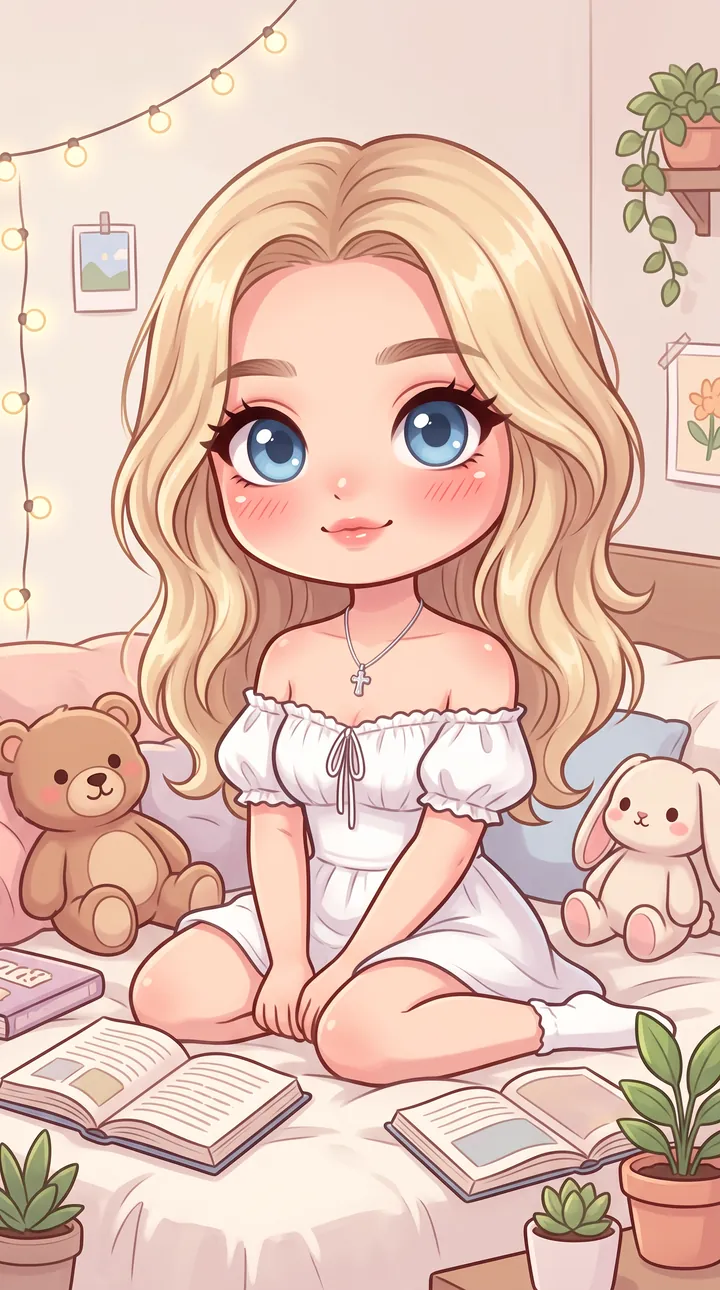
A chibi character with a big head, tiny body and huge eyes sitting on a bed with plush toys, books, plants and fairy lights. The pastel palette and simple shapes keep it cute rather than detailed.
Create a cute chibi-style portrait using the uploaded reference image as the exact identity reference. **Scene:** Cozy bedroom with plush toys, fairy lights, books, and plants. **Style:** Big expressive eyes, tiny body proportions, soft pastel palette, adorable kawaii illustration, 9:16 vertical, HD.
6. Superhero over a city skyline
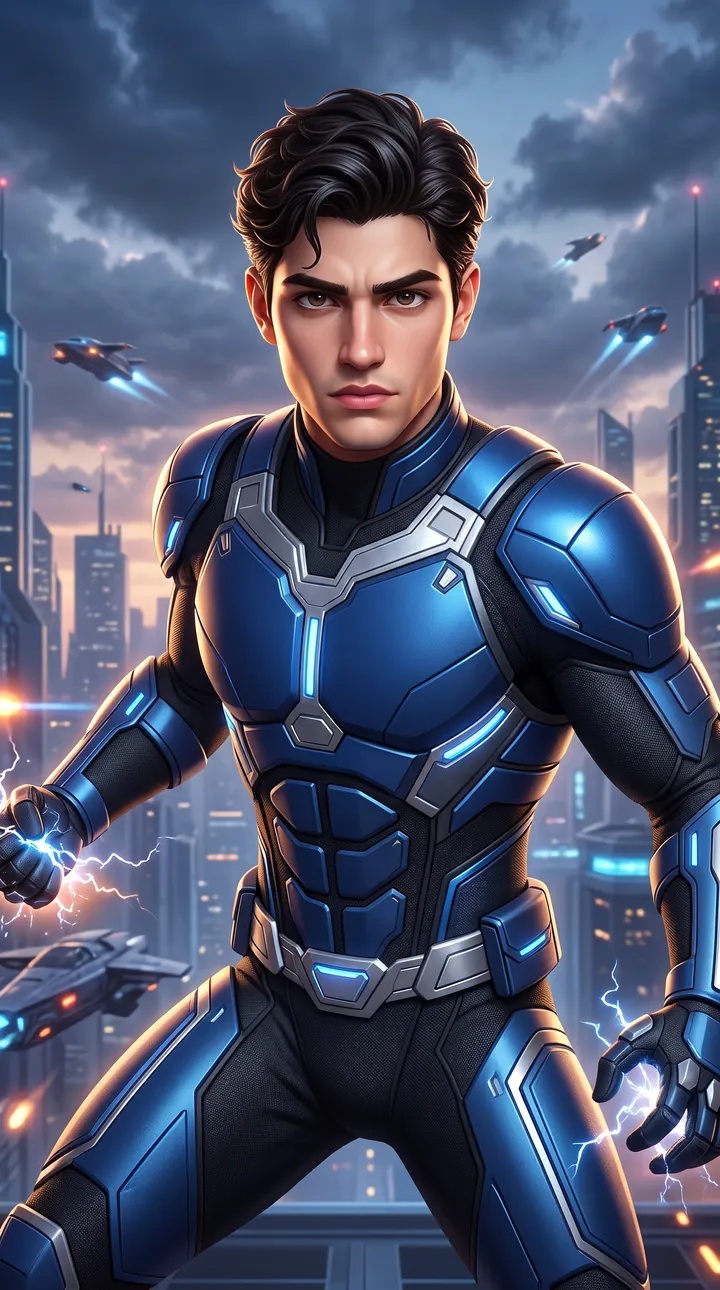
An animated hero in an original blue, black and silver suit crouched in front of a futuristic city with dramatic clouds and glowing lights. There is no mask, so the face stays in full view under the action lighting.
Create a superhero-inspired animated portrait using the uploaded reference image as the exact identity reference. **Scene:** Futuristic city skyline with dramatic clouds and glowing lights. **Outfit:** Original superhero suit in blue, black, and silver. **Style:** Marvel comic meets 3D animation, cinematic action lighting, bold colors, ultra-detailed, 9:16 vertical, HD.
7. Pink dreamhouse by the pool
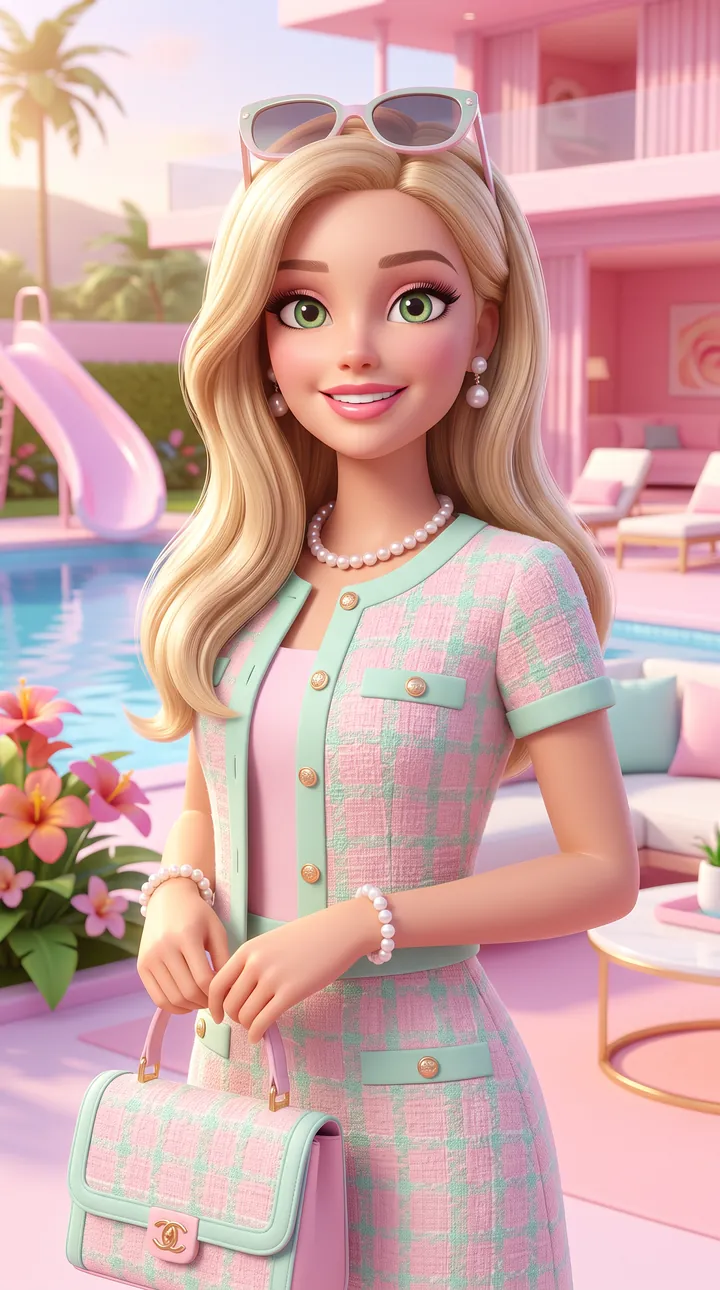
A glossy 3D doll-style portrait in a pastel tweed outfit with pearls and a quilted bag beside a pool at a pink dreamhouse. Soft even lighting keeps the face bright against the pink background.
Create a glamorous Barbie-inspired animated portrait using the uploaded reference image as the exact identity reference. **Scene:** Luxury pink dreamhouse with flowers, pool, and modern furniture. **Outfit:** Stylish pastel fashion outfit with trendy accessories. **Style:** Barbie movie aesthetic, glossy 3D cartoon, vibrant pastel colors, soft lighting, 9:16 vertical, HD.
How to use these templates in Reshot AI
- Open Reshot AI on iPhone and find the Toon Studio category on the home screen.
- Pick a template. Choose a clear, front-facing selfie with good light; it is the reference for your face.
- Generate. Results arrive in the app’s History, so you can come back for them later.
- Want a different expression in the result? Open it in the Face Editor and add a smile, open closed eyes, or turn the head.
Frequently asked questions
Will the result look like me?
Each template uses your photo as the reference and describes the look, not a new face. Clear, front-facing photos with even light give the closest match.
Can I use these prompts outside Reshot AI?
Yes. The copy button gives you the full prompt; it works in any image tool that accepts a reference photo. Results will differ by model.
Is Reshot AI free?
The app is free to download. Generating templates uses credits or a Premium subscription; details are in the app.
Try Toon Studio in Reshot AI
Download Reshot AI, pick a template, choose a selfie.
⬇ Download on the App Store