Selfie mood: 9 AI prompts that change your expression and keep the rest of the photo
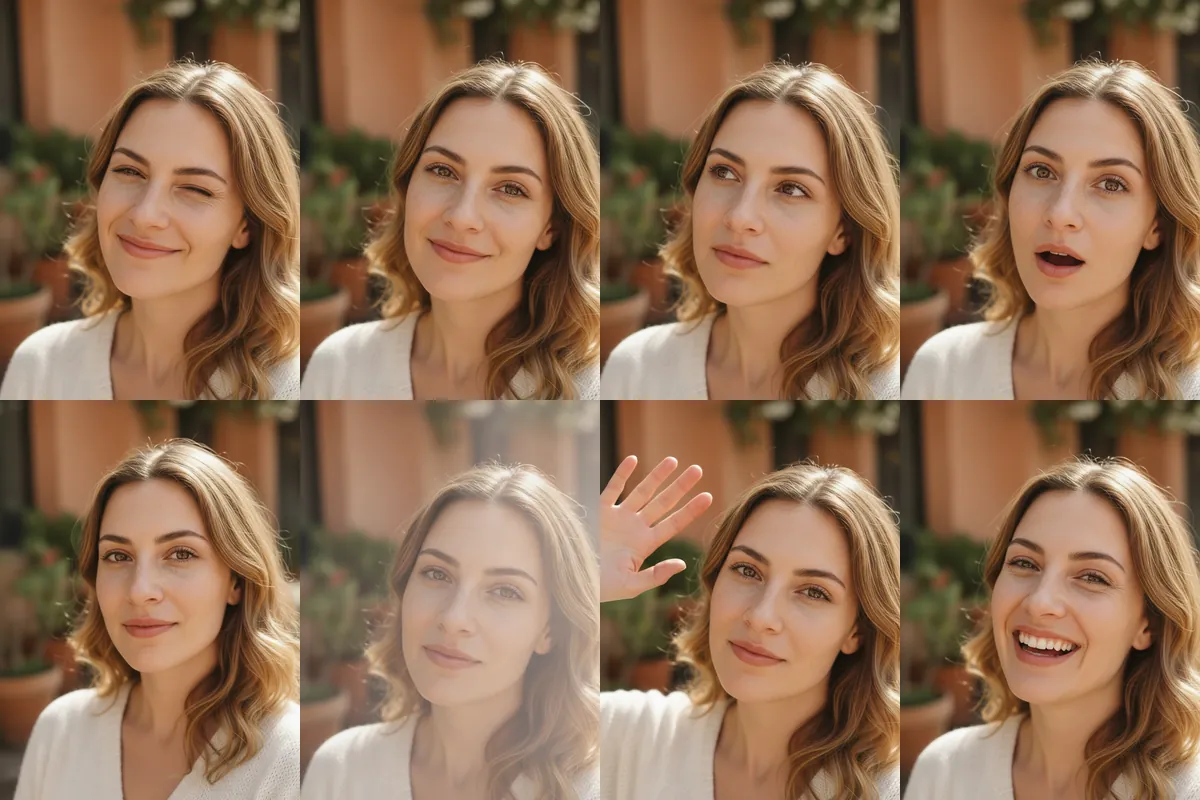
Sometimes the photo is fine and only the face is wrong for the moment. These nine prompts change just the expression in a selfie, giving you a wink, a smirk, a laugh or a raised eyebrow from the same picture.
Each is a short Reshot AI template that starts with keep everything unchanged. Open it in the app with your selfie, or copy the line into another editor. The sample row shows one photo edited nine ways.
How these templates use your photo
Each template starts from a photo you pick. The prompt tells the model what to change, and your photo is the reference for everything else. Clear, front-facing photos with even light give the closest match.
1. Playful wink
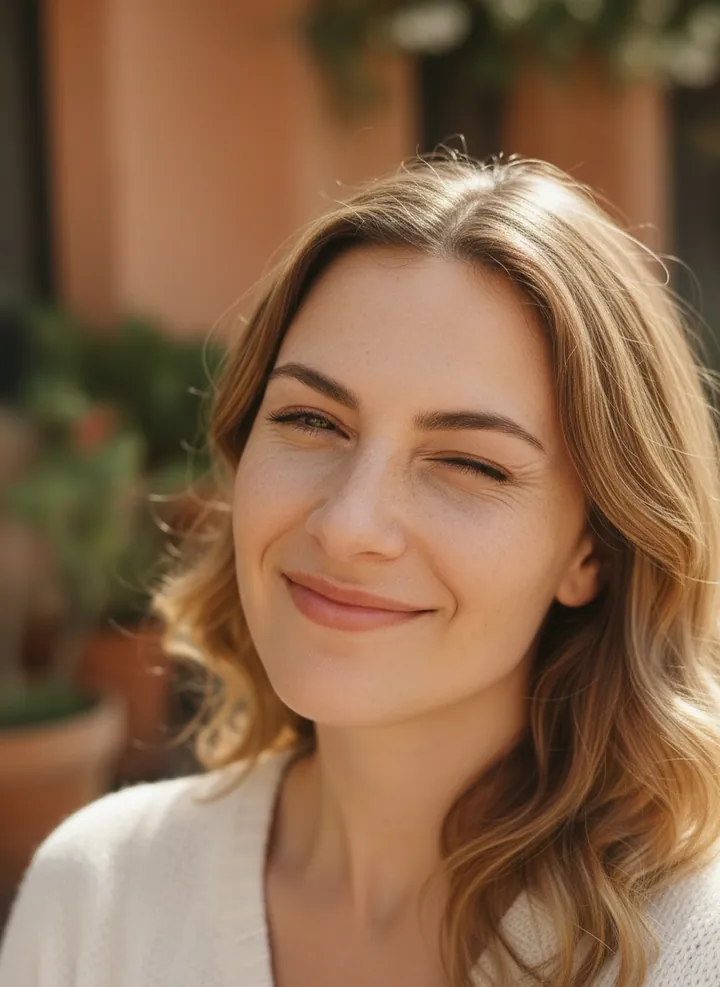
Closes one eye in a wink with a small smile. Hair, clothing, lighting and the garden background stay as they were.
Keep everything unchanged and apply a playful wink
2. Cheeky smirk
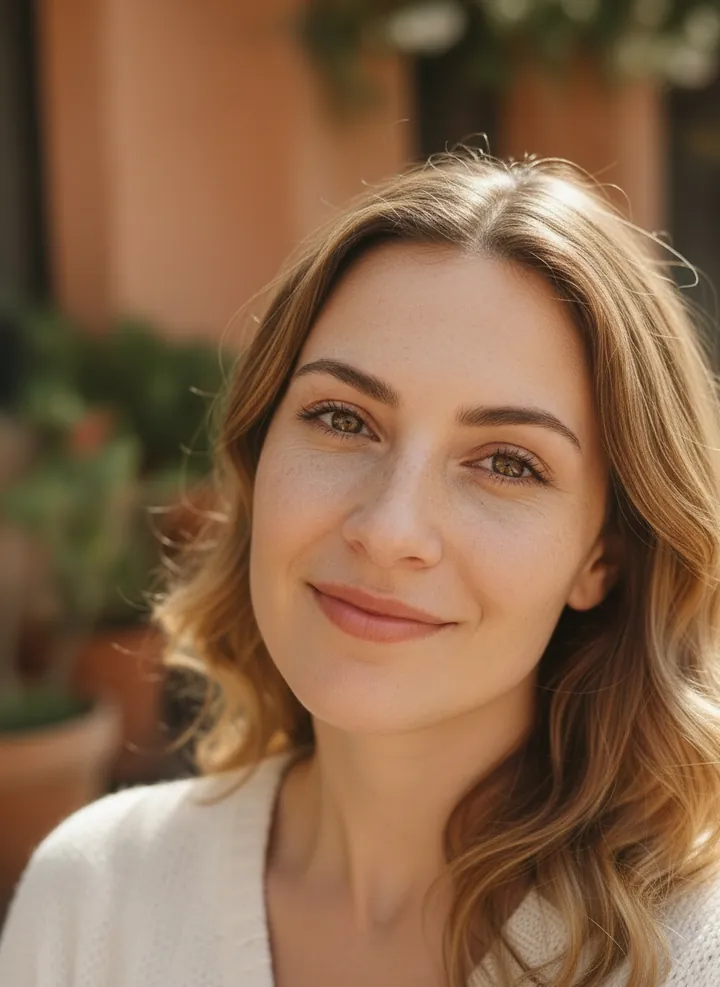
Pulls the mouth into a lopsided, closed-lip smirk. Everything else in the selfie is kept unchanged.
Keep everything unchanged and apply a cheeky smirk
3. Thoughtful gaze
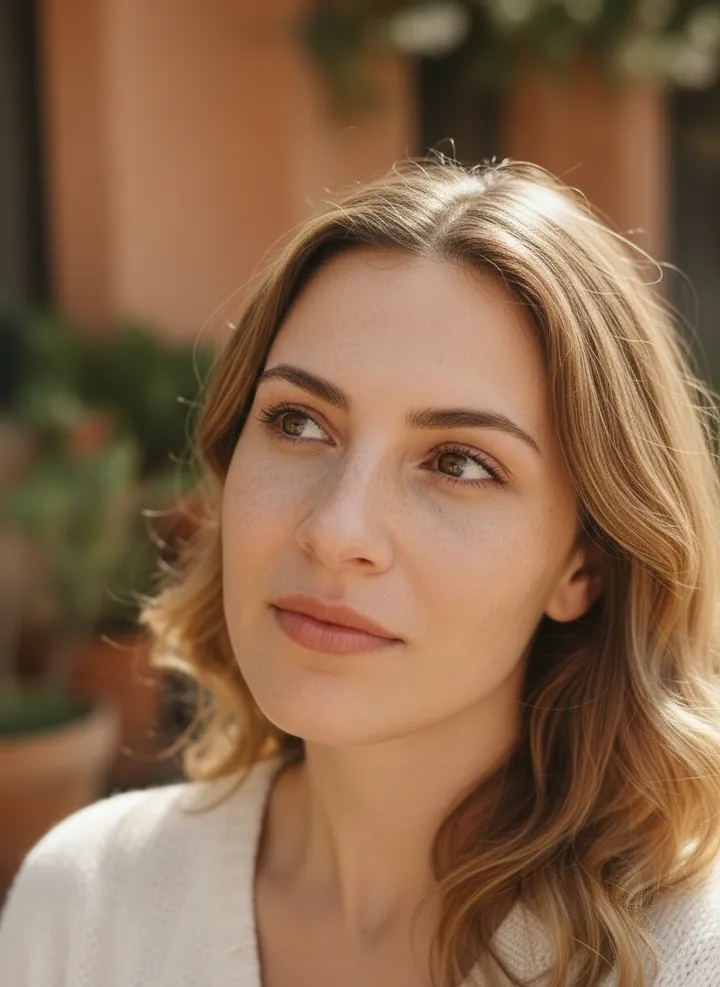
Turns the eyes up and to the side with a relaxed mouth, as if lost in thought. Pose, framing and background remain the same.
Keep everything unchanged and apply a thoughtful gaze
4. Surprised face
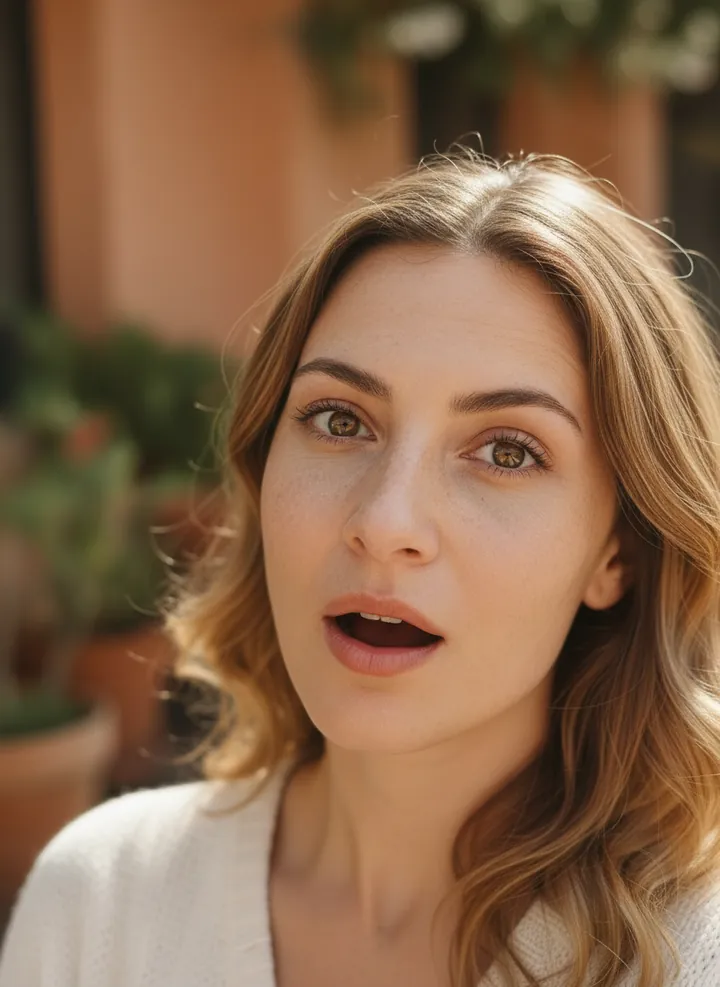
Raises the brows and opens the mouth in surprise. The rest of the photo, including light and clothing, is left alone.
Keep everything unchanged and apply a surprised expression
5. Confident subtle smile
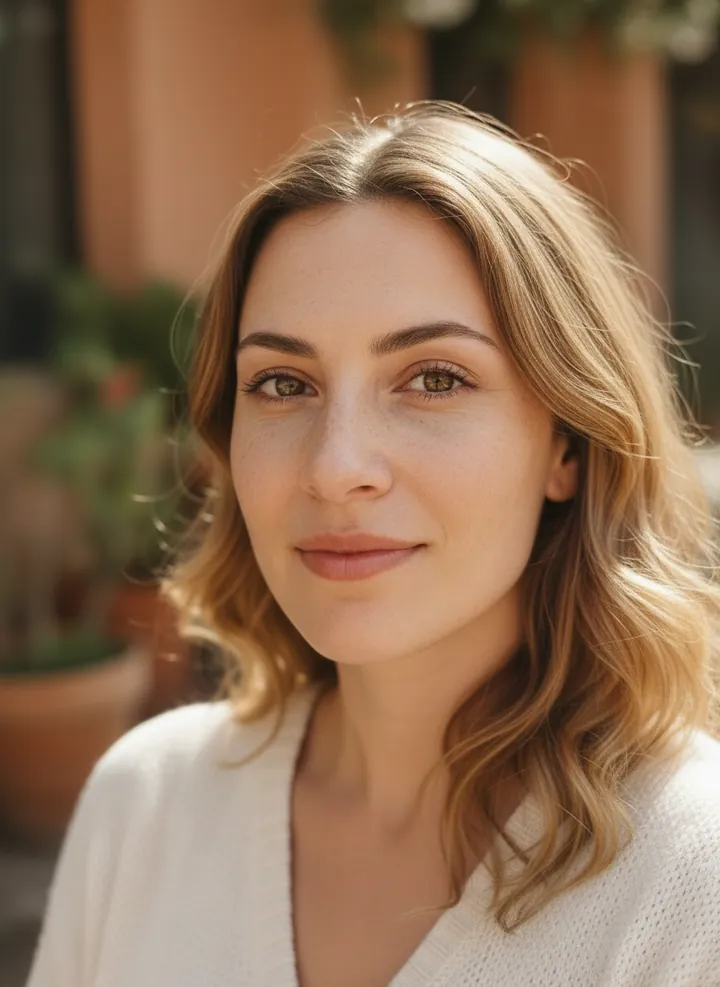
A small, closed-lip smile with a slightly squared-up, confident pose. Face, hair and background are kept from the original selfie.
Keep everything unchanged and apply a confident pose with a subtle smile
6. Dreamy, distant look
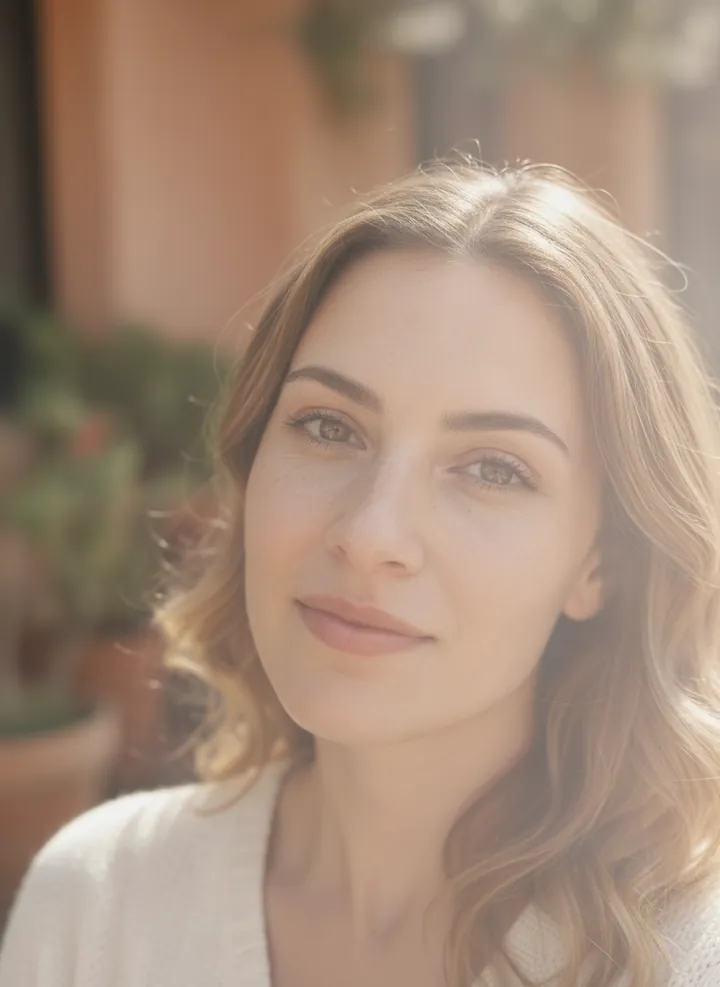
A soft, faraway gaze, and in the sample the light turns hazier and brighter. The prompt asks to keep everything else unchanged.
Keep everything unchanged and apply a dreamy, distant look
7. Friendly wave
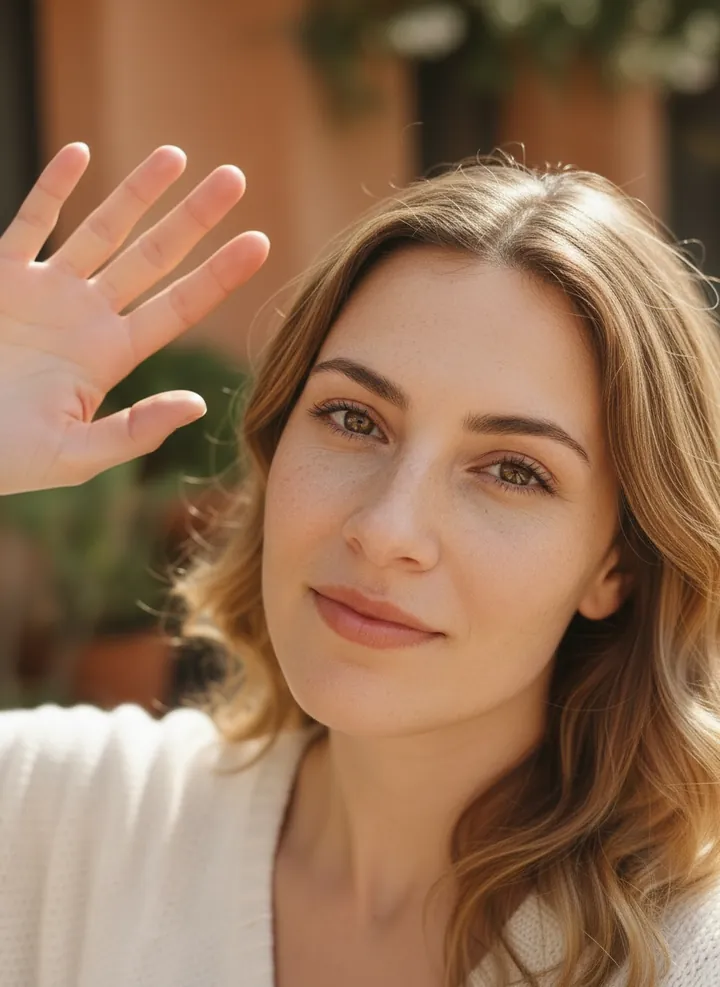
Adds a raised hand waving at the camera alongside a soft smile. The face, hair and setting stay as they were.
Keep everything unchanged and apply a friendly wave
8. Joyful laugh
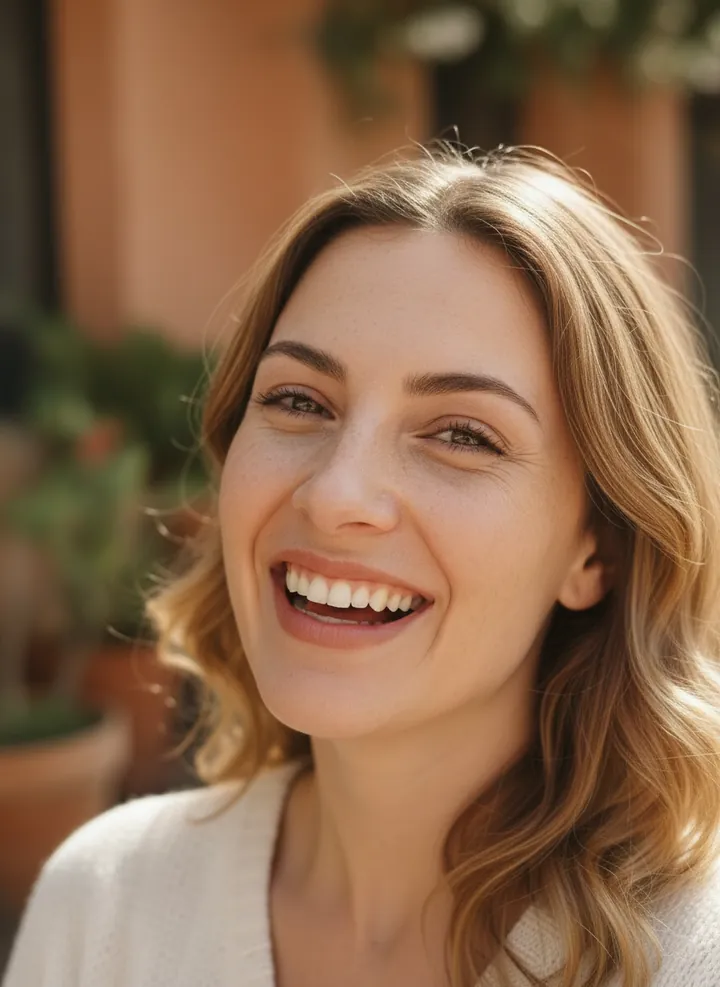
Opens the face into a full, toothy laugh with crinkled eyes. Lighting, clothing and background are not changed.
Keep everything unchanged and apply a joyful laugh
9. Inquisitive raised eyebrow
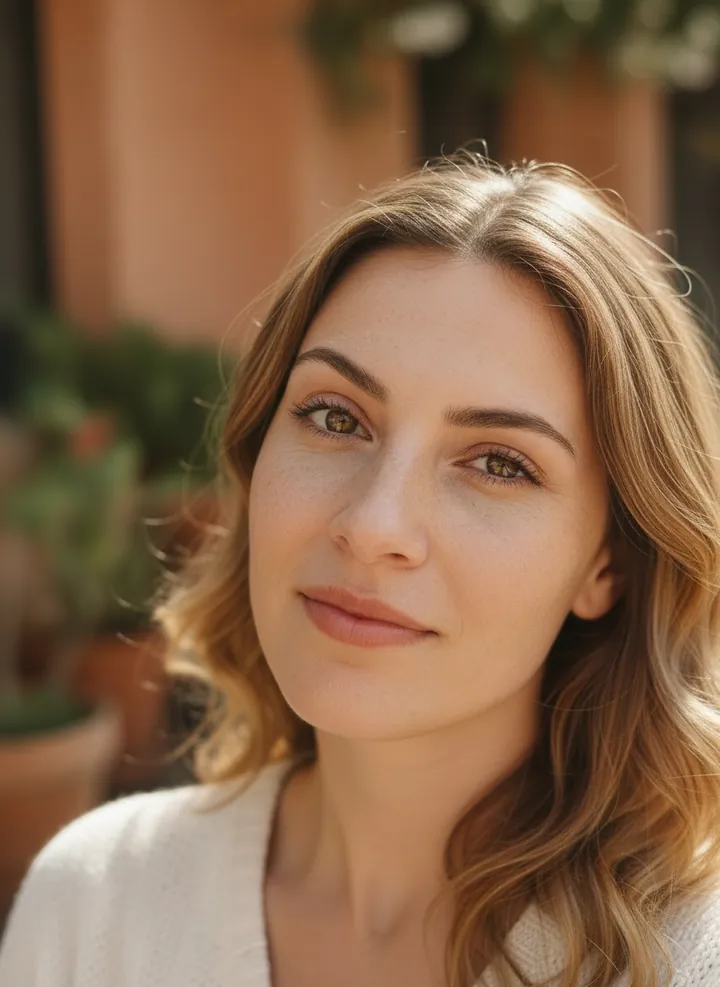
Lifts one eyebrow in a curious, questioning look. The rest of the selfie stays untouched.
Keep everything unchanged and apply an inquisitive raised eyebrow
How to use these templates in Reshot AI
- Open Reshot AI on iPhone and find the Selfie Mood category on the home screen.
- Pick a template. Choose a clear, front-facing selfie with good light; it is the reference for your face.
- Generate. Results arrive in the app’s History, so you can come back for them later.
- Want a different expression in the result? Open it in the Face Editor and add a smile, open closed eyes, or turn the head.
Frequently asked questions
Will the result look like me?
Each template uses your photo as the reference and describes the look, not a new face. Clear, front-facing photos with even light give the closest match.
Can I use these prompts outside Reshot AI?
Yes. The copy button gives you the full prompt; it works in any image tool that accepts a reference photo. Results will differ by model.
Is Reshot AI free?
The app is free to download. Generating templates uses credits or a Premium subscription; details are in the app.
Try Selfie Mood in Reshot AI
Download Reshot AI, pick a template, choose a selfie.
⬇ Download on the App Store