AI hair salon prompts: 6 haircuts and hair colors
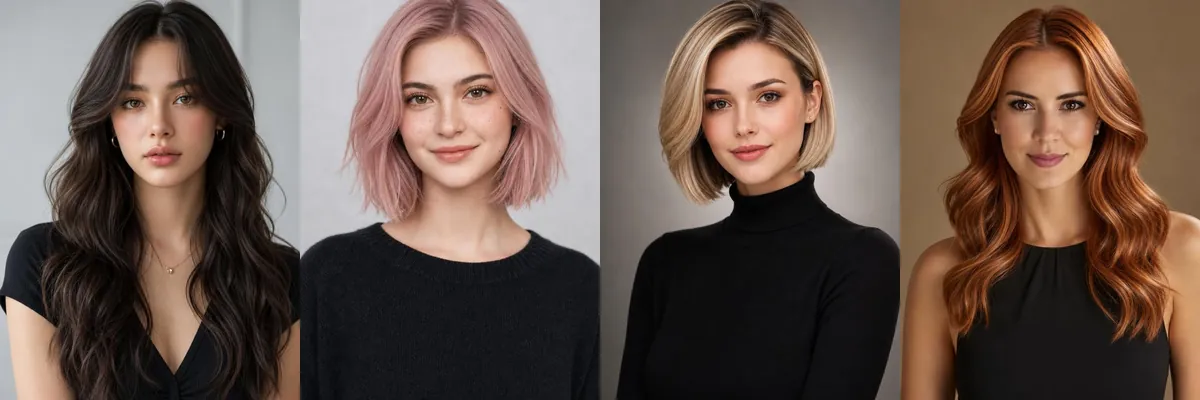
This set is a small hair salon lookbook: long waves with curtain bangs, three bobs in pink, blonde and black, copper-red layers and a black bob with green streaks. Each is shot like a salon portfolio photo on a plain studio background.
Use them to compare cuts and colors before a salon visit or to show a stylist what you mean. The prompts describe a studio model, and each is a Reshot AI template you can open or text you can copy to another app.
What these templates change
Several prompts in this set describe a specific model, outfit and setting rather than the person in your photo, so results can follow that description more than your face. Use them as style references, or copy a prompt and change the person description to match you.
1. Long dark waves with curtain bangs
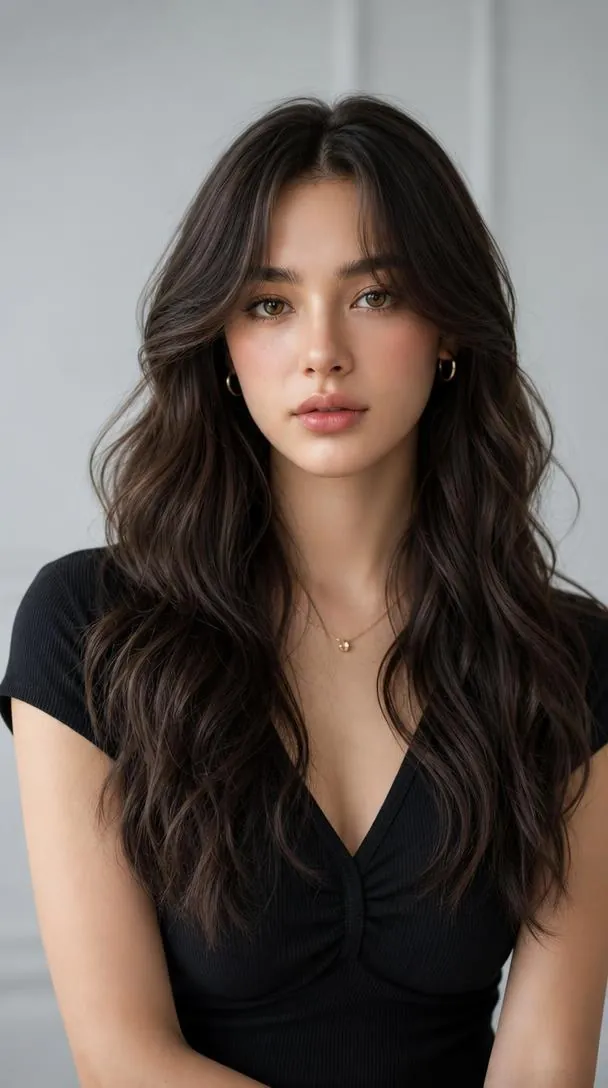
Long dark brown waves with soft curtain bangs, natural makeup and a black top on a neutral studio background. The prompt describes a studio model rather than a reference photo, so treat it as a guide to the cut and color.
Adult female model with long dark brown wavy hair and soft curtain bangs, natural makeup, wearing a black top, elegant confident expression, neutral studio background, soft beauty lighting, professional hair salon portfolio, photorealistic, high detail, 8K.
2. Pastel pink layered bob
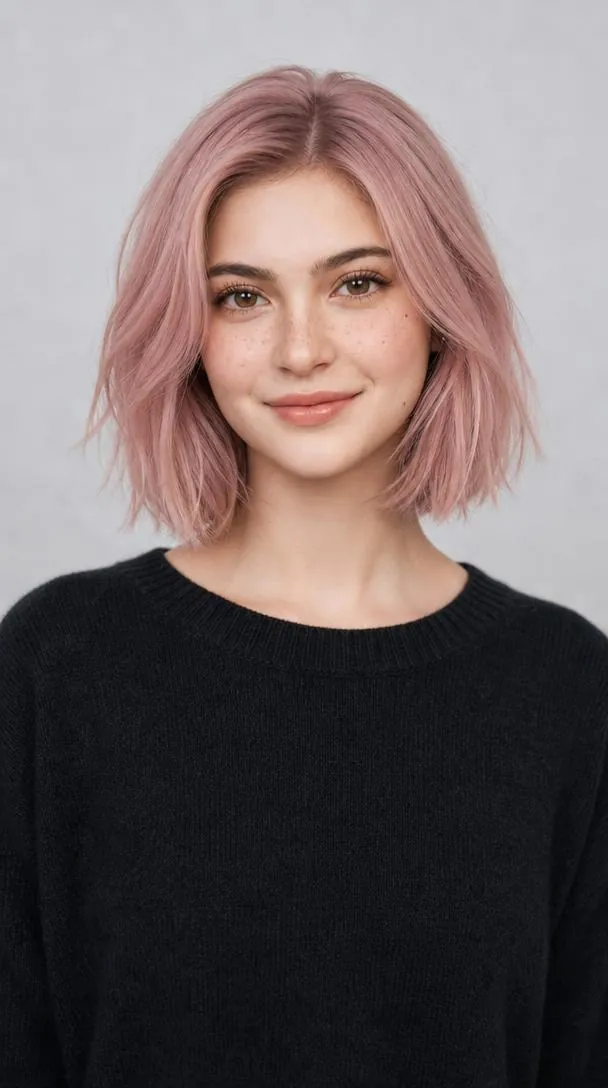
A chin-length pastel pink bob with light layering, worn with a dark sweater on a clean gray background. Soft diffused light shows the pink tone evenly from root to ends.
Adult female model with a stylish pastel pink bob haircut, subtle layered texture, natural makeup, wearing a dark sweater, clean gray studio background, soft diffused lighting, modern hair salon photography, photorealistic, high detail, 8K.
3. Short blonde bob
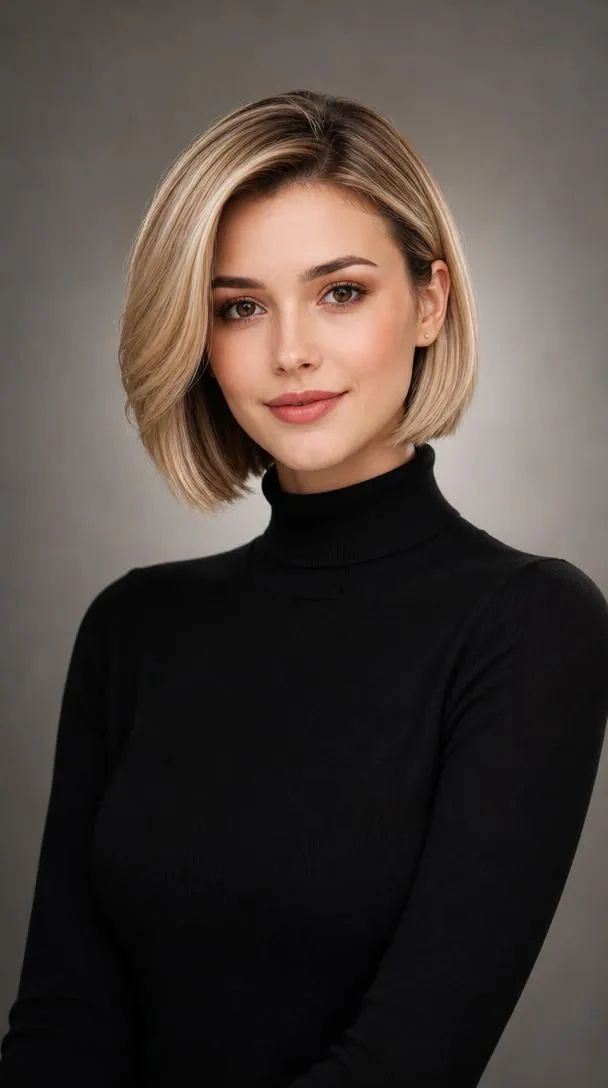
A smooth, short blonde bob with a black turtleneck on a neutral gray backdrop under soft beauty lighting. The cut ends at the jaw, so the face and neck stay fully open.
Adult female model with a sophisticated short blonde bob haircut, smooth styling, natural makeup, wearing a black turtleneck, neutral gray studio background, soft cinematic beauty lighting, professional salon portfolio portrait, photorealistic, high detail, 8K.
4. Copper-red layered waves
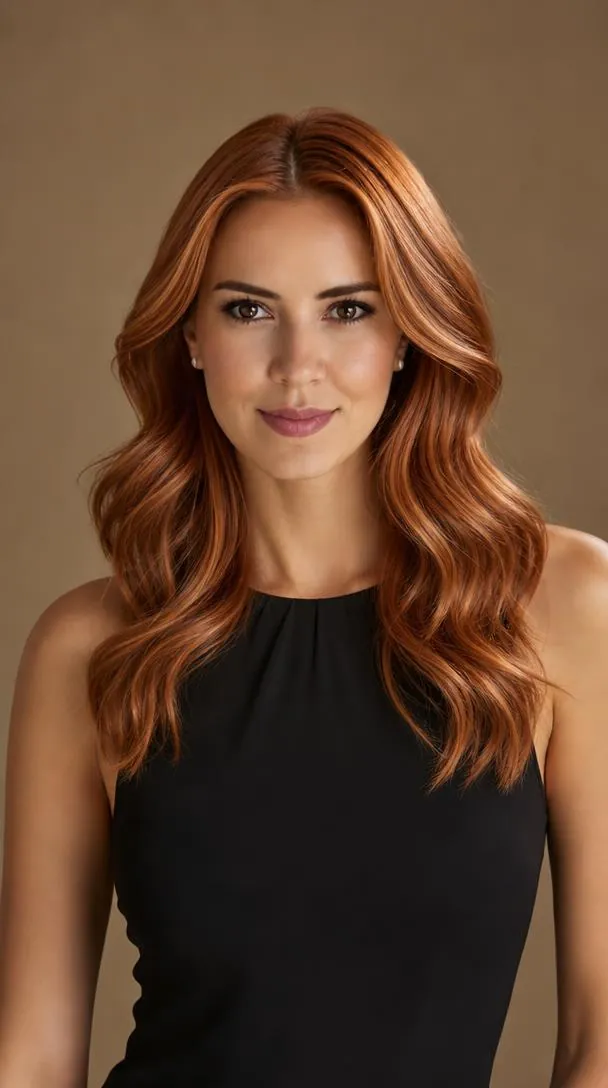
Vibrant copper-red waves in long layers, with a black sleeveless top against a warm neutral background. The plain top and backdrop keep the attention on the hair color.
dult female model with vibrant copper-red wavy hair, layered hairstyle, natural makeup, wearing a black sleeveless top, elegant studio portrait, warm neutral background, soft professional lighting, luxury hair salon campaign, photorealistic, high detail, 8K.
5. Black bob with emerald streaks
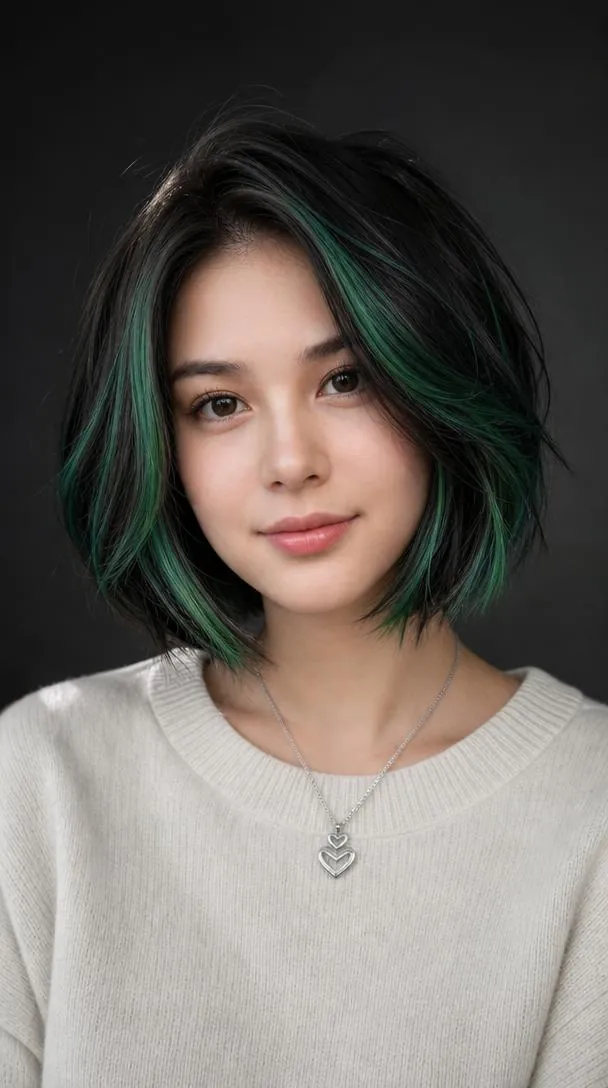
A sleek short black bob with vivid emerald-green highlights, a white sweater and a dark studio background. The prompt describes a fixed model, and the dark backdrop makes the green streaks stand out.
Adult female model with a sleek short black bob and vivid emerald-green highlights, modern layered styling, natural makeup, wearing a white sweater, dark neutral studio background, soft dramatic lighting, edgy hair salon editorial, photorealistic, high detail, 8K.
6. Sleek black bob, center part
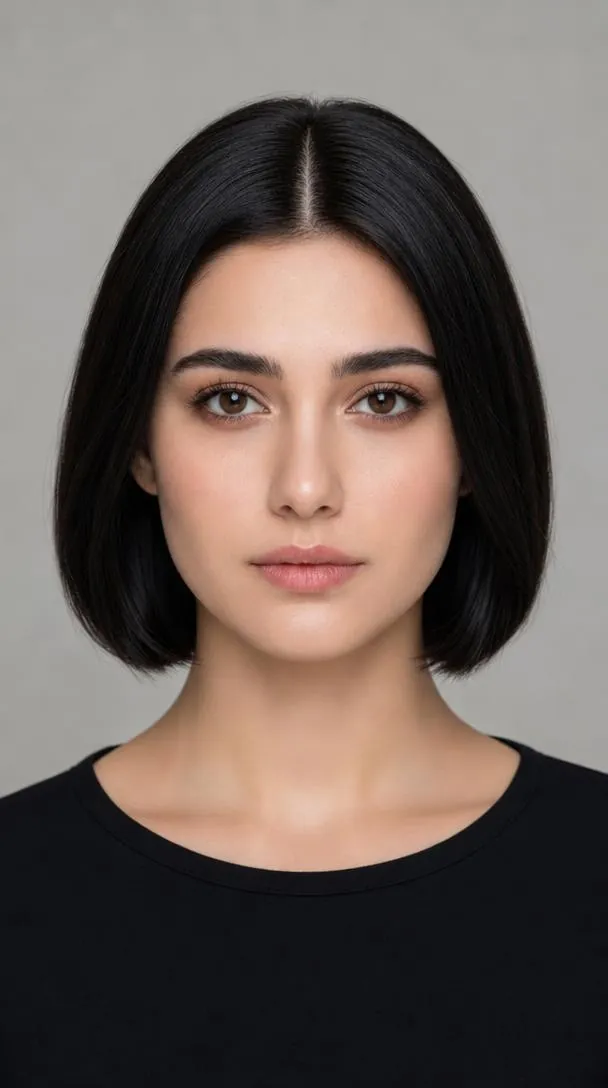
A blunt, sleek short black bob with a center part, worn with a simple black top in a front-facing studio portrait. The straight-on angle shows the symmetry of the cut on both sides of the face.
Adult female model with a sleek short black bob haircut, center part, natural makeup, wearing a simple black top, clean studio background, soft professional lighting, beauty salon portfolio photography, front-facing portrait, photorealistic, high detail, 8K.
How to use these templates in Reshot AI
- Open Reshot AI on iPhone and find the AI Hair Salon category on the home screen.
- Pick a template. Choose a clear, front-facing selfie with good light; it is the reference for your face.
- Generate. Results arrive in the app’s History, so you can come back for them later.
- Want a different expression in the result? Open it in the Face Editor and add a smile, open closed eyes, or turn the head.
Frequently asked questions
Will the result look like me?
Not always. Some prompts in this set describe a specific model, so the result can follow that description. For a closer match, copy the prompt and replace the person description with your own.
Can I use these prompts outside Reshot AI?
Yes. The copy button gives you the full prompt; it works in any image tool that accepts a reference photo. Results will differ by model.
Is Reshot AI free?
The app is free to download. Generating templates uses credits or a Premium subscription; details are in the app.
Try AI Hair Salon in Reshot AI
Download Reshot AI, pick a template, choose a selfie.
⬇ Download on the App Store